Greenhouse production control V1.0.0.0
Greenhouse production control V1.0.0.0
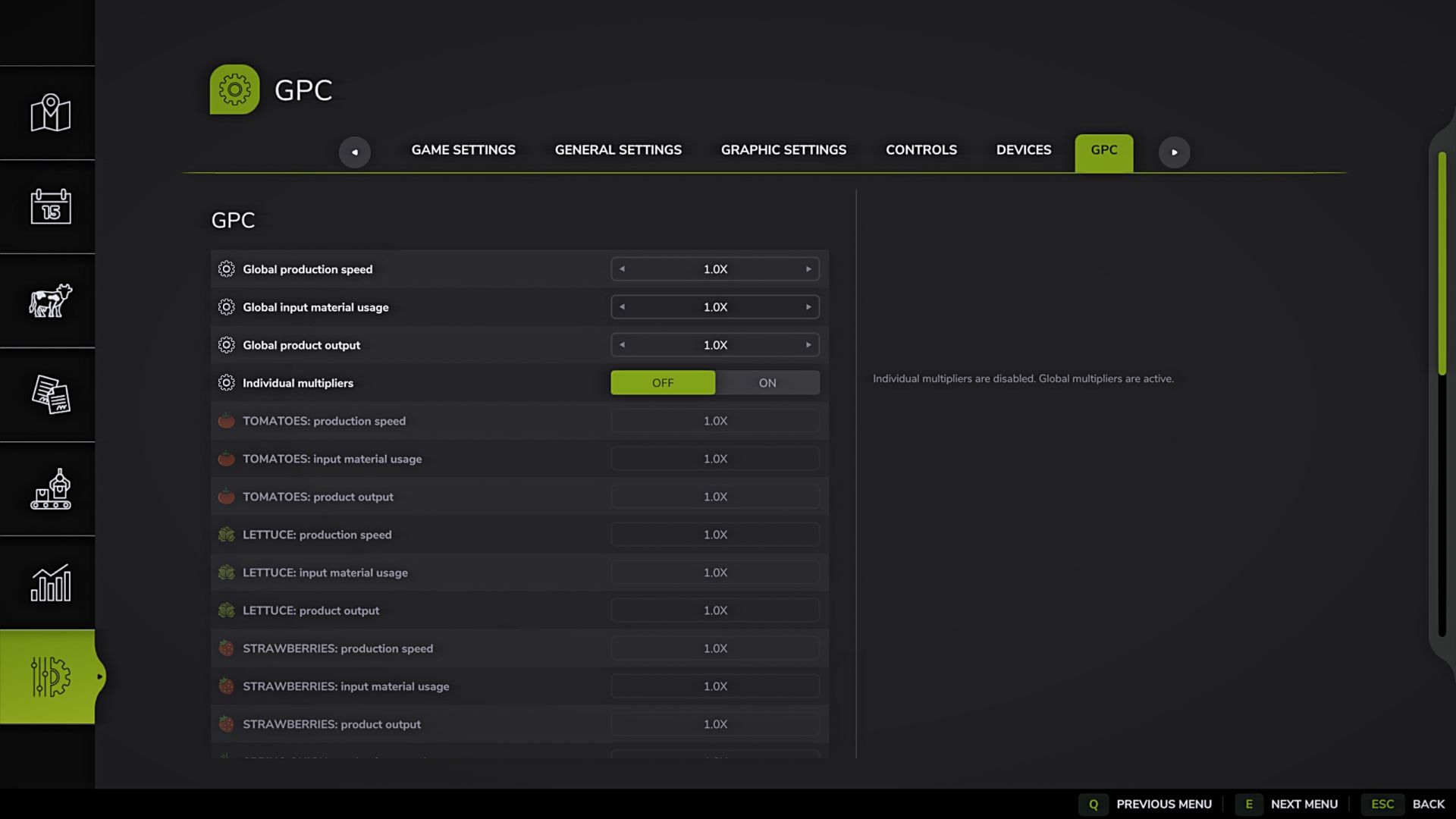
Greenhouse Production Control adds a separate dynamic GPC tab to the game settings and allows you to manage production multipliers for the player’s greenhouses.
The mod does not add new greenhouses, products or recipes. It only changes the multipliers of already available greenhouse productions.
Features:
– Separate GPC tab in the game settings.
– The tab appears only if the player has a supported greenhouse with available products.
– If there are no longer supported greenhouses or products, the tab is automatically deleted.
– Standard game greenhouses are supported.
– Modded greenhouses can also be detected if they use a standard production system and are supported by the mod’s logic.
– Product names are taken from the game or from the mod that added the corresponding product.
– Products are determined dynamically based on the player’s greenhouses.
– Identical products are not duplicated in the list.
– If a new greenhouse adds a product that is not yet in the list, it appears below the already found products.
– Changes are applied immediately, without restarting the game.
Common multipliers:
– Overall production speed.
– Total consumption of incoming materials.
– Overall product yield.
Individual multipliers:
– Individual multipliers are disabled by default.
– A separate switch is used to enable individual settings.
– When individual multipliers are enabled, the overall multipliers are reset to 1.0x and become inactive.
– Once enabled, you can separately adjust the production speed, input material consumption and output for each product.
– When individual multipliers are turned off, all product multipliers are reset to 1.0x and become inactive.
– Shared multipliers become available again.
How multipliers work:
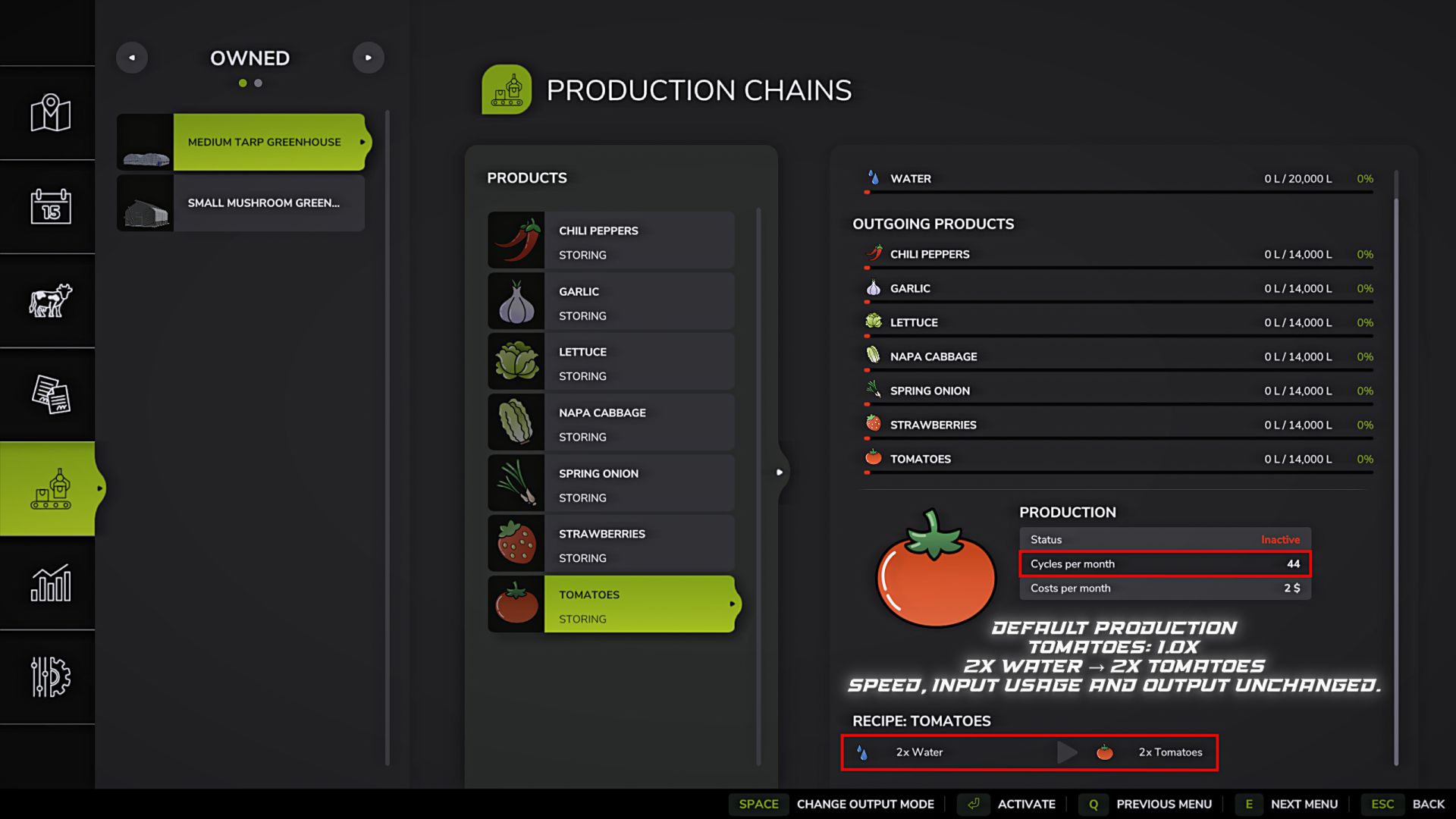
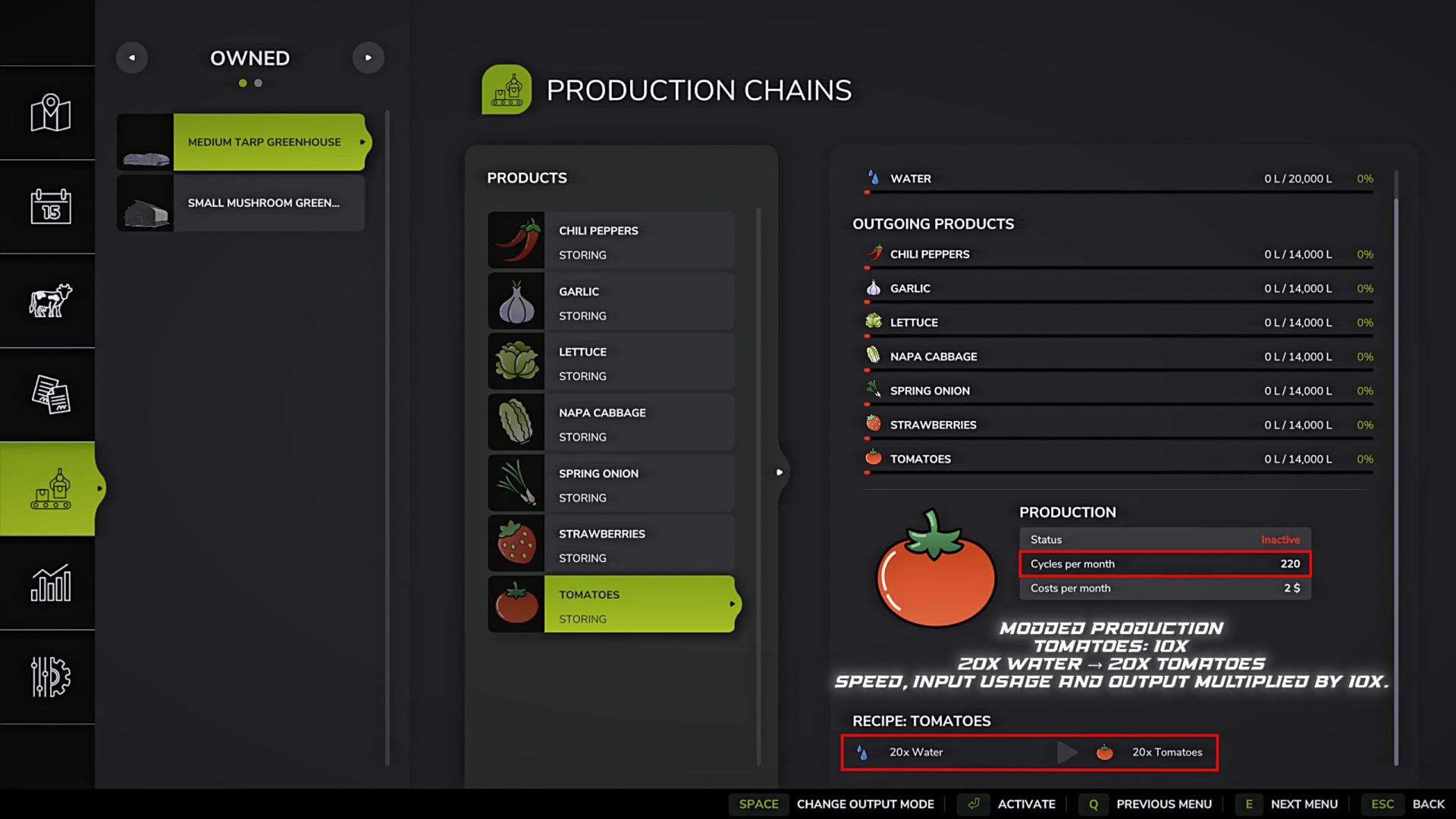
– Production speed changes the production cycle time.
– Input consumption changes the amount of materials consumed in one cycle.
– Product yield changes the amount of product produced in one cycle.
For example, if tomatoes are set to 10x for speed, flow, and output, production will run faster, consume more inputs per cycle, and produce more output.
Additionally:
– Settings are saved separately for each save slot.
– Multiplier range: from 0.5x to 10x.
– The mod is intended only for greenhouse production and does not affect other types of production.
Note:
Greenhouse Production Control is a separate mod made specifically for managing greenhouse production.
It is not a replacement for ProductionControl which is already available on ModHub.
This mod has a different goal and a different operating principle:
– settings are located in a separate dynamic GPC tab in the game settings.
– the tab appears only if there are supported greenhouses.
– you can configure common multipliers for all found greenhouse products.
– you can enable individual multipliers for each product separately.
– production speed, consumption of incoming materials and product output are separately adjusted.
– the mod only works with greenhouse production and does not change all production chains at once.
The mod is intended for players who need separate and more precise control of greenhouses.