Autodrive La Haute Vallée du Tarn v1.0.0.0
Autodrive La Haute Vallée du Tarn v1.0.0.0
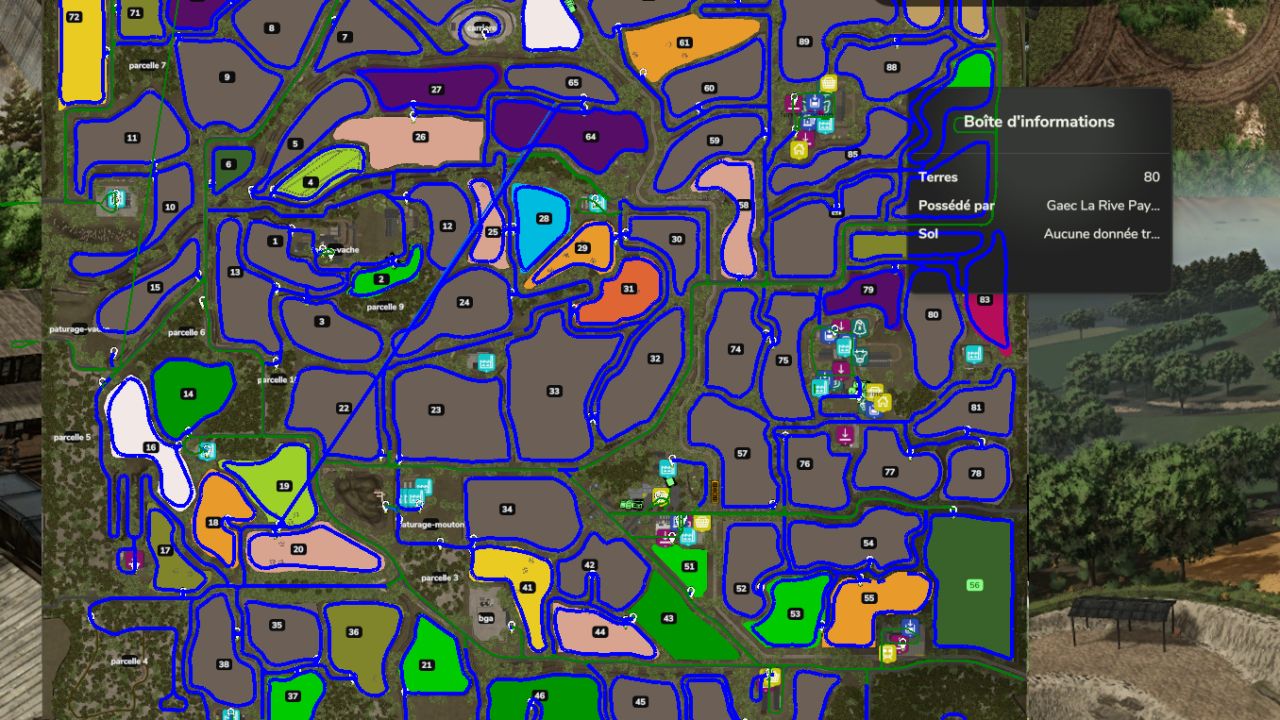
This file allows you to automate your journeys across the entire map, making your gaming sessions easier, whether for deliveries, transporting crops, or travelling between farms and fields.
What this route network contains:
Connection between all the main farms and production areas.
Validated routes for the main roads and paths on the map.
Access to selling points and filling stations (fuel, seeds, fertiliser).
Optimised paths to minimise convoy blockages.
Installation:
Download and extract the file if necessary.
Place the AutoDrive configuration file (AutoDrive_config.xml) in your savegame folder:
Documents/My Games/FarmingSimulator2022/savegame[X] (replace [X] with the number of your savegame).
Start your game and enjoy automated journeys!
Have fun, everyone! Feel free to leave feedback if you find any improvements that could be made to the routes.
(Visual bug on the map: two blue and green lines cross the map.)
Required mods:
Autodrive
La Haute Vallée du Tarn