Helper Profiles V1.0.0.0
Helper Profiles V1.0.0.0
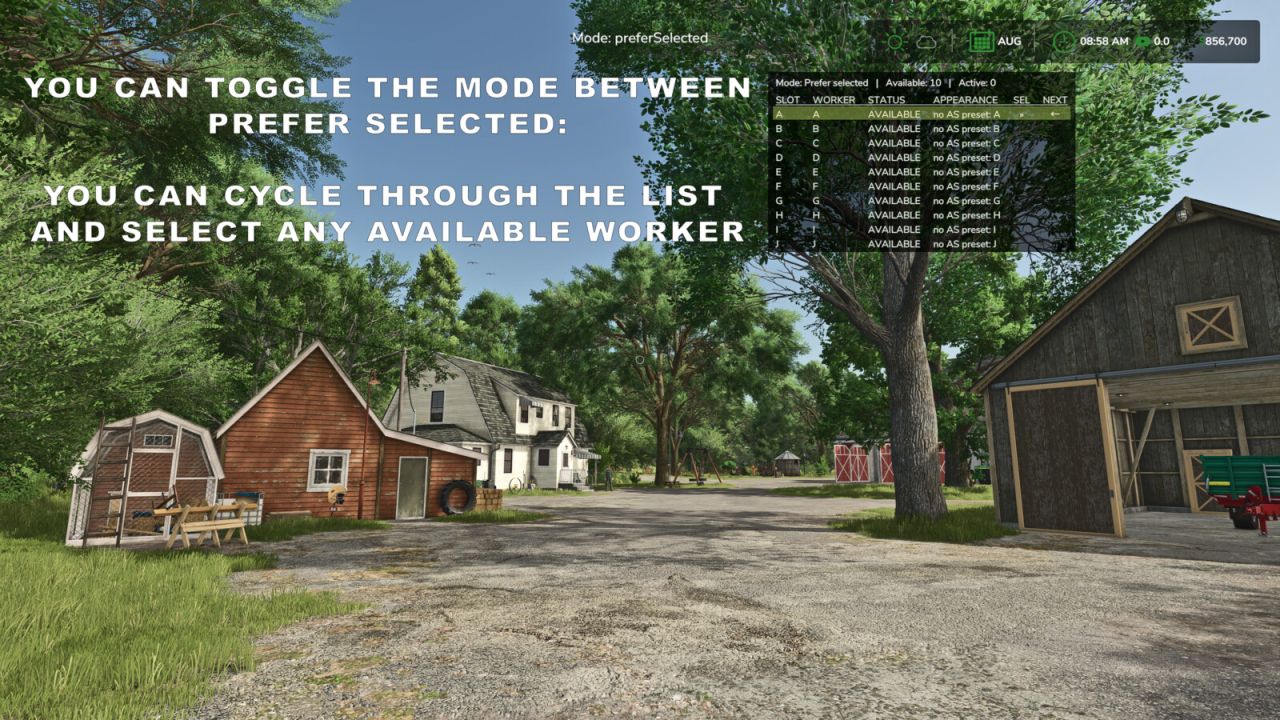
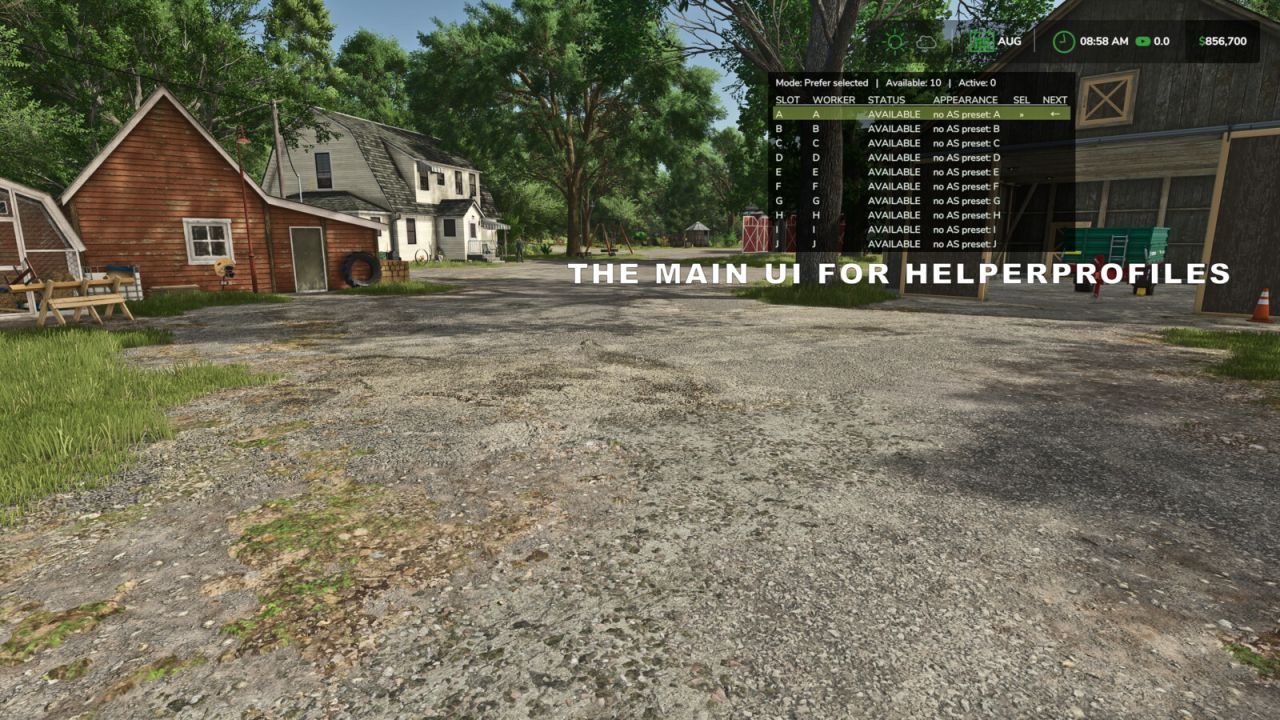
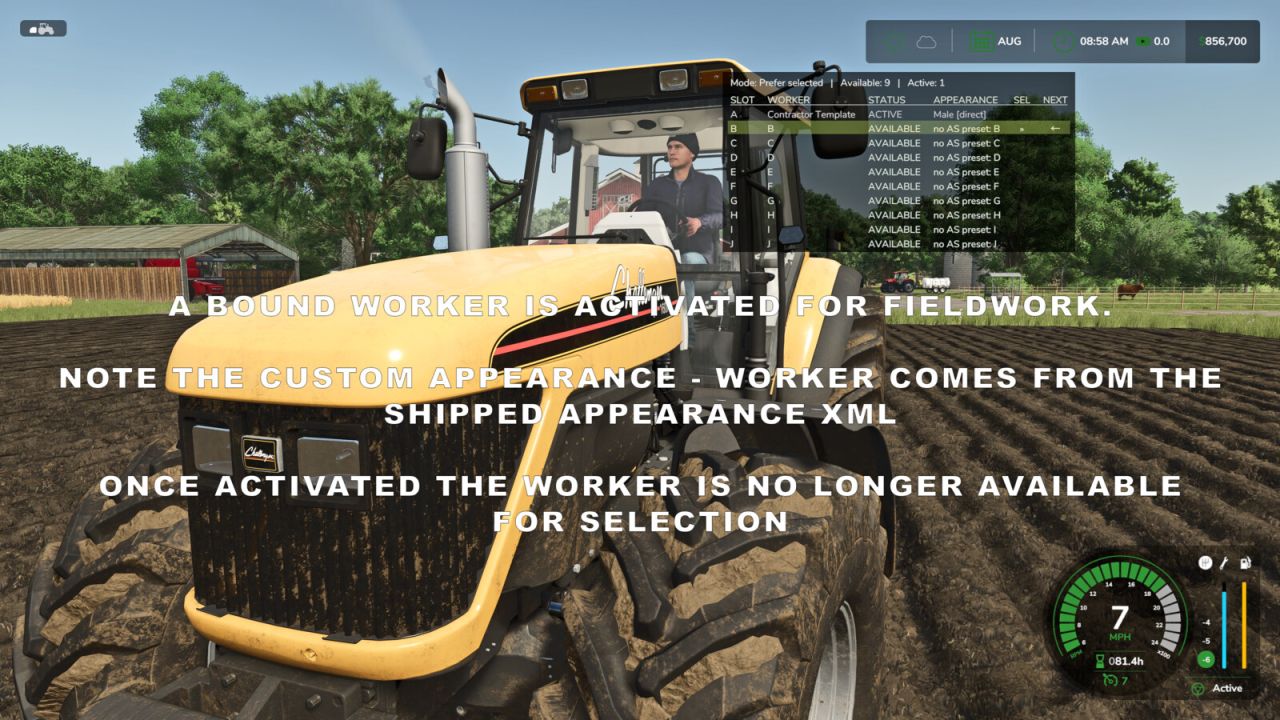
Give your farm a consistent team of workers and choose who takes the next AI job. Helper Profiles expands the standard helper roster to 20 permanent worker slots (A-T), with a clear status overlay and a two-tab Helper Management screen.
Manage your team:
– Choose which workers are available for hire in each savegame.
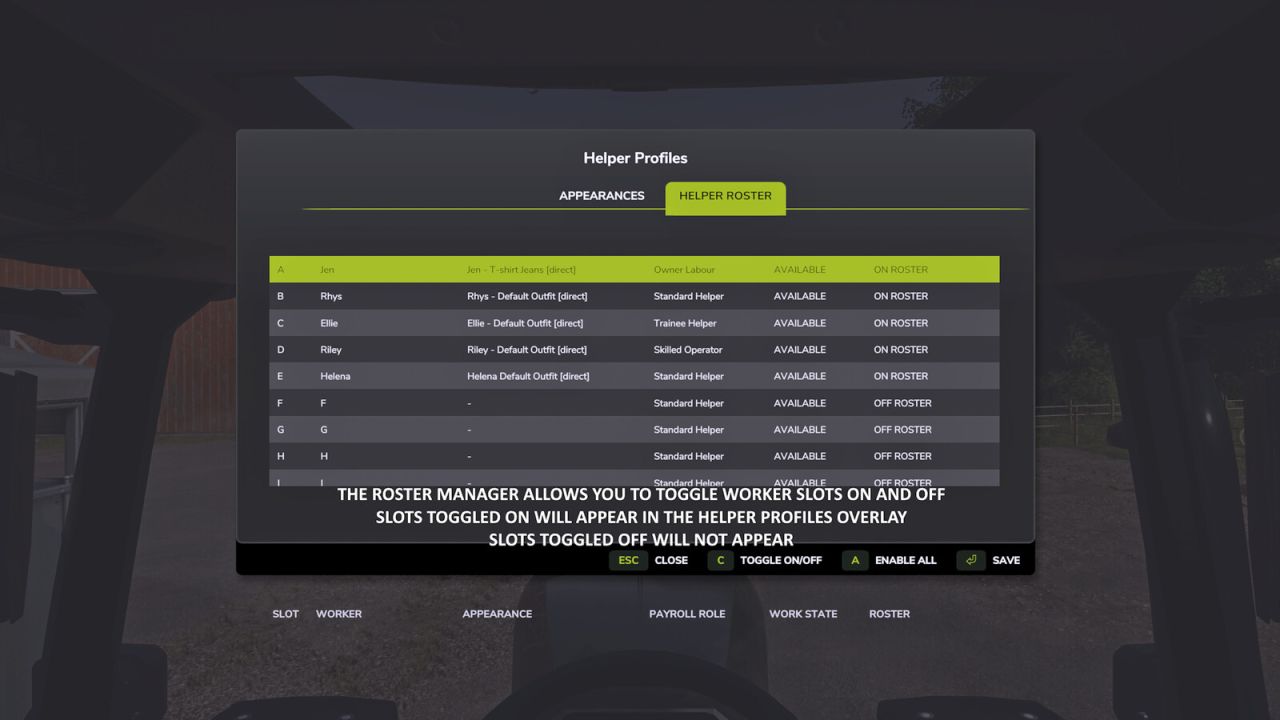
– Switch individual workers ON or OFF roster, enable all workers, or disable the others while keeping your selected worker and any active workers.
– OFF-roster workers are excluded from selection, the overlay and new hires. Their saved appearance bindings and HelperPayroll assignments are retained when they return.
– Active workers cannot be switched OFF, and at least one worker must remain ON roster.
Choose who works next:
– Cycle through available workers using a shortcut.
– Prefer Selected mode hires your chosen worker when free, falling back to another available worker when needed.
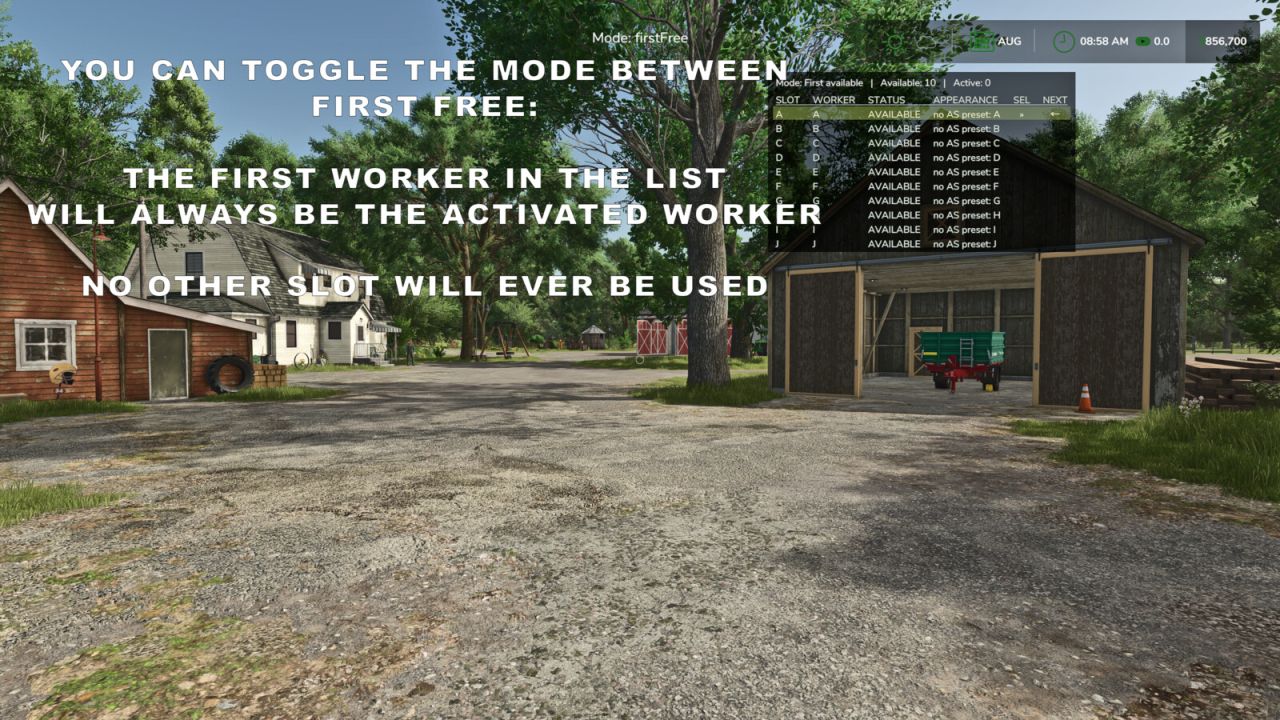
– First Free mode hires the first available worker in roster order.
– See your selected worker, the next worker expected to be hired, and which helpers are available or active in an automatically sized table.
– The overlay pages between A-J and K-T, can be shown or hidden, and offers configurable position, size and appearance.
Personalise your helpers with optional companion mods:
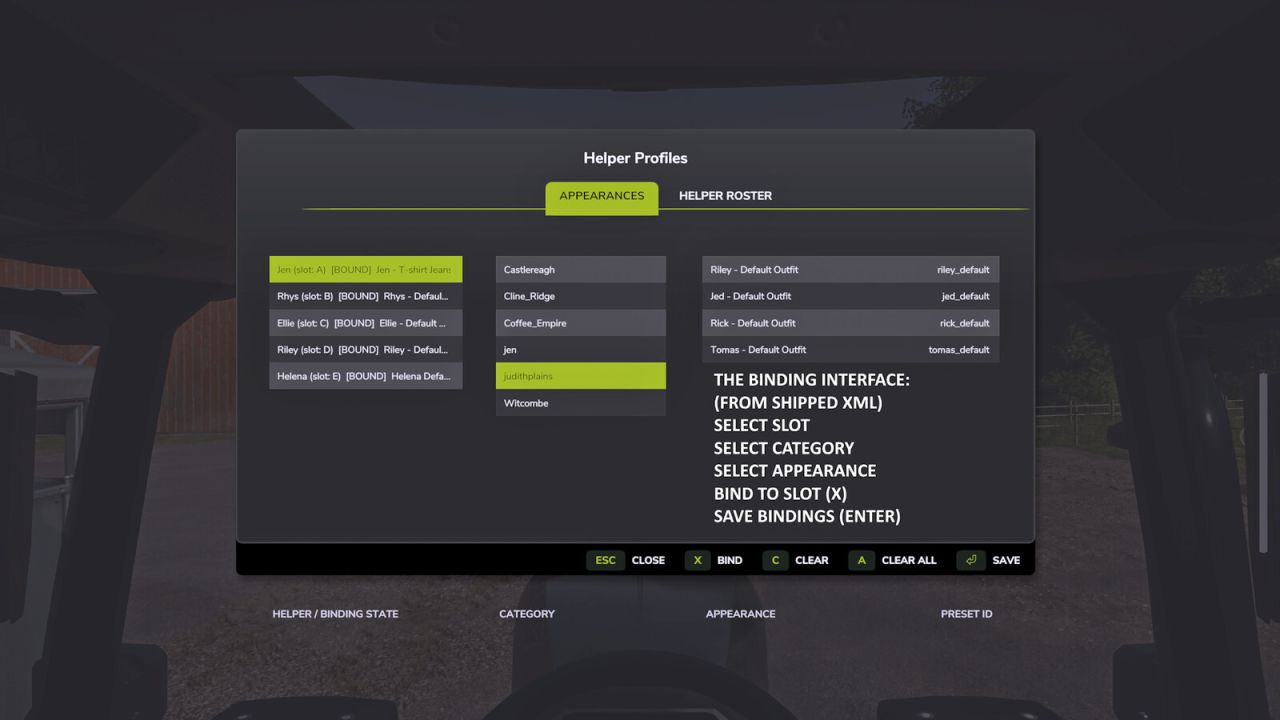
– AvatarSwitcher lets you bind saved appearance presets to individual helpers through the Appearances tab. Bindings are saved separately for each savegame.
– HelperPayroll adds a read-only role display to the overlay and roster screen. Manage roles, pay rates and wages in HelperPayroll.
– Helper Profiles works without either companion mod; custom appearance bindings and payroll role information require the corresponding mod.
Default keyboard controls:
– Semicolon (;): cycle workers.
– Shift + ;: switch hiring mode.
– Right Ctrl + ;: open Helper Management (Appearances and Helper Roster tabs).
– Right Alt + ;: show or hide the overlay.
Controls can be reassigned in the game’s control settings.
Single player only.
Not compatible with Hired Helper Tool or conflicting helper-roster expansion mods. Helper Profiles disables itself for the session when an incompatible roster owner is detected.