GE10 Script – SplineToolkit (Prefab) V2.0.1.0
GE10 Script – SplineToolkit (Prefab) V2.0.1.0
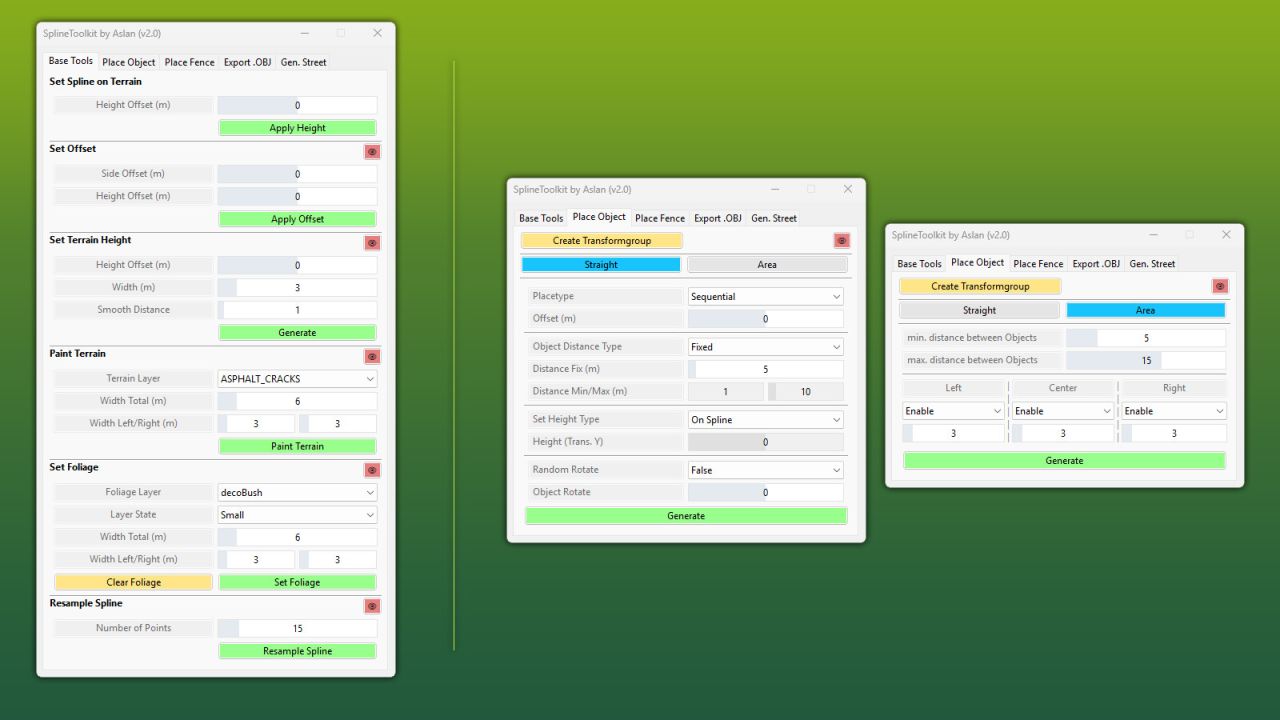
The SplineToolkit is a comprehensive GIANTS Editor script that brings a wide range of spline-related tools together in a single package. Nearly all functions include a real-time preview directly in the editor viewport.
Base Tools
The Base Tools form the foundation of the toolkit and provide essential tools for spline and terrain editing. Spline points can be projected directly onto the terrain, shifted vertically or horizontally, and the terrain height can be precisely matched to the spline. In addition, terrain textures and foliage can be painted along a spline, and Resample Spline allows the number of control points to be adjusted as needed.
Place Objects
Place Objects allows objects to be placed flexibly along a spline or distributed across a defined area. Placement can be done sequentially in the order of the SourceObjects or randomly from the available selection. A wide range of parameters such as distance, height type, rotation and offset provide precise control over the result.
Place Fence
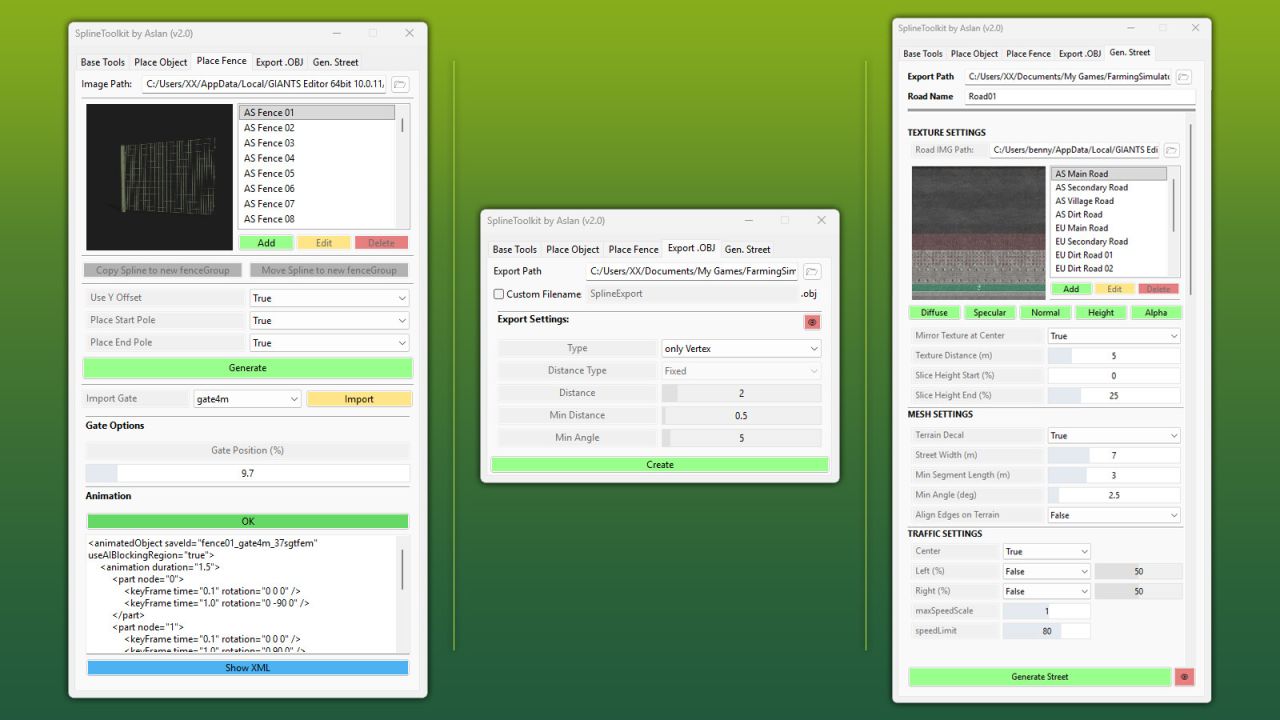
Place Fence enables fast and structured creation of fence systems along a spline, with a clear list of base game fences including preview images. Fences can be imported directly, and animated gates can be positioned along the spline using a slider. The animation data is automatically written to the configuration file so that gates work correctly in-game via a trigger. A built-in XML viewer and the “Validate Fences” function allow full verification of all entries for errors and inconsistencies.
Export as .OBJ
The export tool allows splines to be exported as .OBJ files using two different methods, optimizing the workflow between GIANTS Editor and Blender. Additional parameters control the density and format of the exported points.
Generate Street
The road generator allows complete road meshes to be created directly inside the GIANTS Editor, including correct UVs and a selection of base game road textures. A real-time preview displays the result immediately in the viewport before the mesh is finalized. Matching traffic splines can optionally be generated automatically.
V2.0.1.0
[Base Tools] = Clear Foliage now correctly clears all foliage layers.
[Base Tools] = Set Terrain Height: Fixed spike/gap artifacts.
[Base Tools] = Set Terrain Height: Configurable pixel resolution via SplineToolkit.TERRAIN_METER_PER_PIXEL_LOAD_FROM_MAP and SplineToolkit.TERRAIN_METER_PER_PIXEL_CUSTOM.