Notification Log V1.0.1.0
Notification Log V1.0.1.0
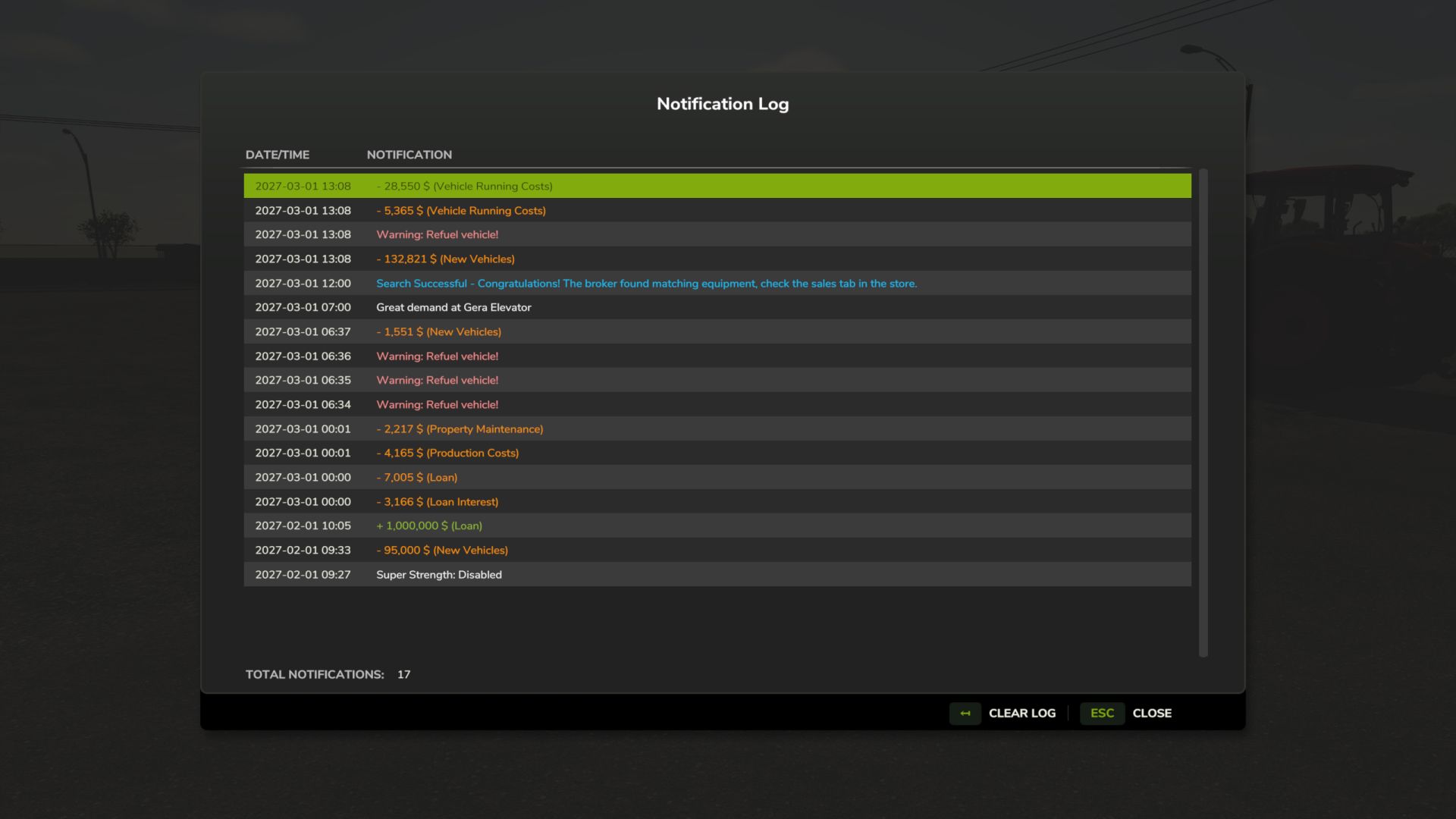
Did the notifications fly by too fast? Use the Notification log to see all notifications in the current session.
Default key binding is Right Shift + M to open the notification log interface. You can change this in the game settings under “Controls”.
Notification Logging: Automatically captures top notifications, side notifications, and blinking warnings
GUI Interface: View session notification history in a dialogue (accessible via Right Shift + M)
Notification Details: Displays the in-game date/time and notification content
Color Preservation: Maintains original notification colors for easy categorization
Warning Filtering: Blinking warnings are logged once per source and in-game minute to prevent spam
Clear Log: Remove all notifications with a single button
V1.0.1.0
– fix: game sometimes hung when ai worker reached 80% full