Yield control V2.0.0.0
Yield control V2.0.0.0
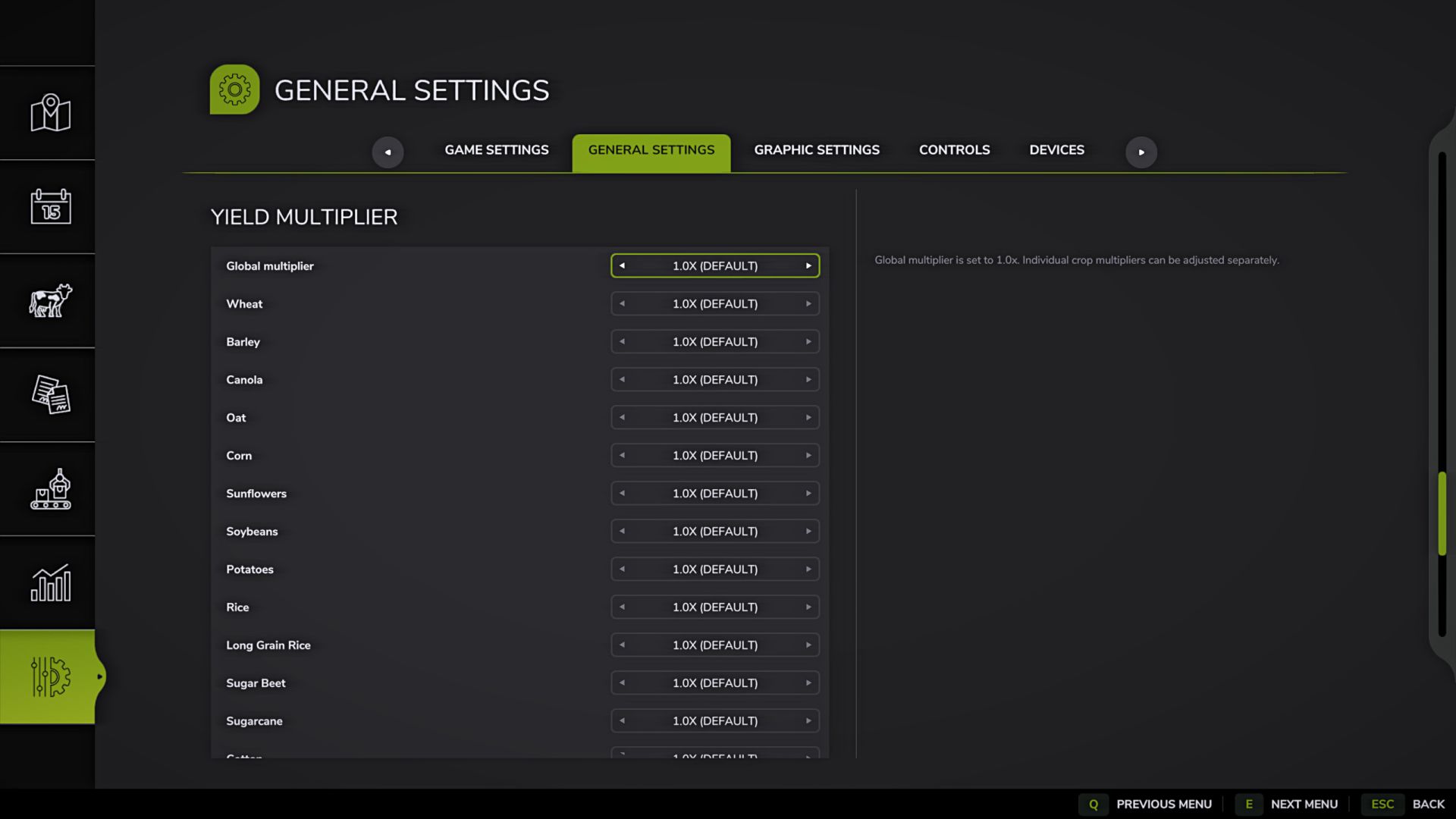
This mod allows you to adjust the yield multiplier directly through the game settings – both common for all crops, and individually for each crop on the current map.
Key Features:
– General yield multiplier for all crops.
– Individual multipliers for each crop available on the map.
– Automatic detection of crops: if there are 20 crops on the map, there will be 20 points, if there are 30 or more, the list will expand automatically.
– Support for standard crops, DLC, mod maps and additional crops registered through fruitTypes.
– Settings are saved separately for each save slot.
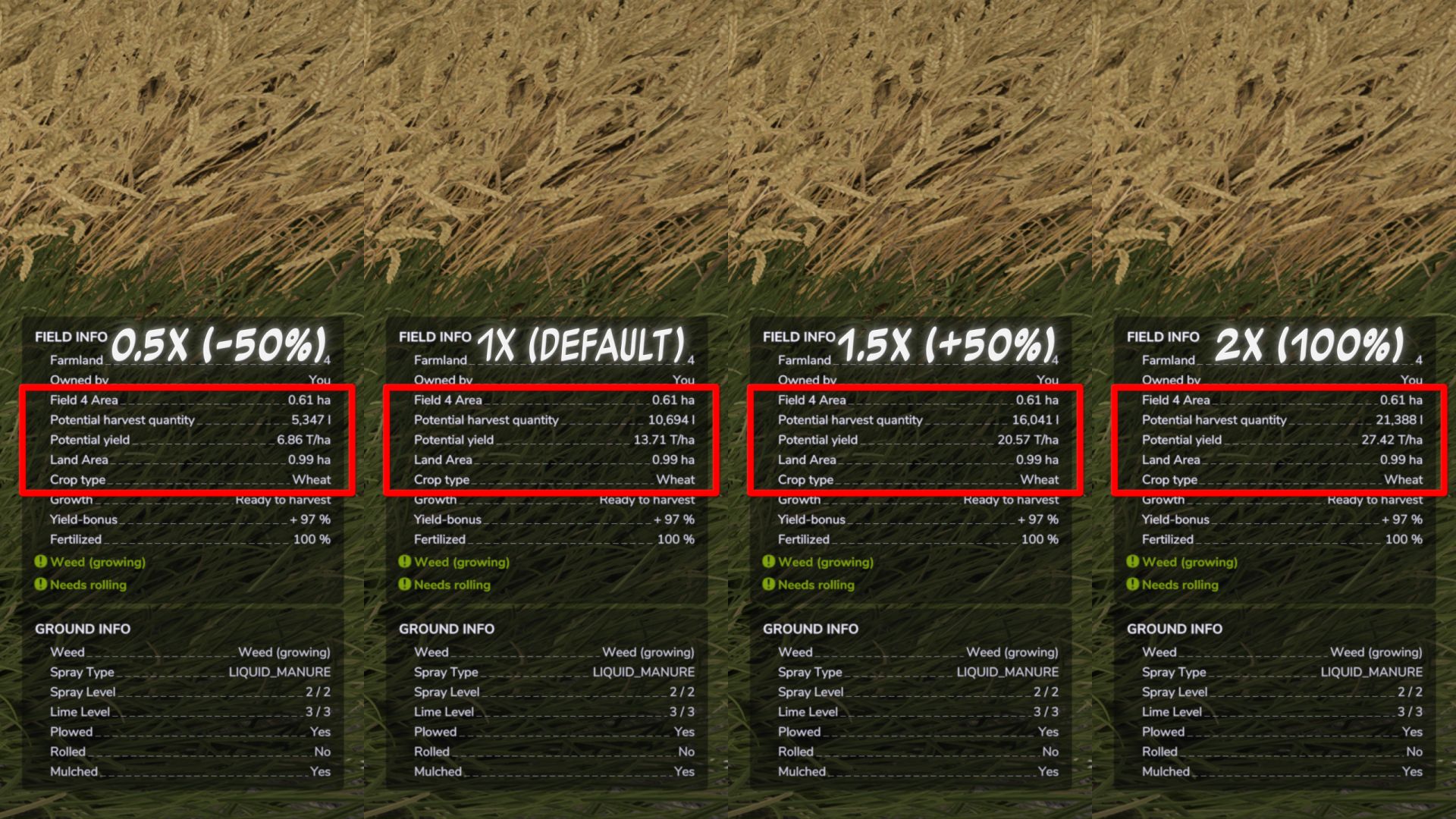
– Multiplier range: 0.5x (-50%) to 5.0x (+400%).
– Changes are applied instantly, without restarting the game or reloading the save.
Important:
– If the overall multiplier is set to 1.0x, individual crop multipliers can be adjusted separately.
– When the overall multiplier changes, individual crop multipliers are reset.
– When changing an individual culture multiplier, the overall multiplier is reset to 1.0x.
– The names of mod cultures use the localization of the map/mod if it is provided by the author.
Important information about straw:
– The mod changes the yield of the main product. The volume of straw is calculated separately by the game and is not multiplied proportionally to the grain yield.
Ideal for players who want to flexibly adjust economic difficulty, reduce the yield of certain crops, or increase the profitability of desired crops.
V2.0.0.0
I believe this will be the final version of the mod.
– The yield multiplier system has been completely redesigned.
– Added individual yield multipliers for each crop on the current map.
– The general yield multiplier for all crops has been preserved.
– Added automatic detection of crops from the current map: the number of items in the settings depends on the number of available crops.
– Added support for mod maps and additional registered crops: new crops automatically appear in the settings if they are registered through fruitTypes.
– The names of mod cultures use the localization of the map/mod if it is provided by the author.
– Settings are now saved separately for each save slot.
– Added protection against loading old settings after deleting a save and creating a new career in the same slot.
– Settings have been moved to a separate folder:
`modSettings/FS25_YieldControl/FS25_YieldControl.xml`
– Improved settings file structure.
– Improved loading and saving of settings.
– Added automatic clearing/updating of save data when creating a new career in the same slot.
– Removed unnecessary messages in the log when changing multipliers.
– Lua script has been cleared of temporary lines.
– Improved descriptions of settings in the game menu.
– Updated localization for all languages.
Note:
If the overall multiplier is set to 1.0x, individual crop multipliers can be adjusted separately.
When the overall multiplier changes, individual crop multipliers are reset.
When changing an individual culture multiplier, the overall multiplier is reset.