
Building Blueprints V1.0.0.0
Building Blueprints V1.0.0.0
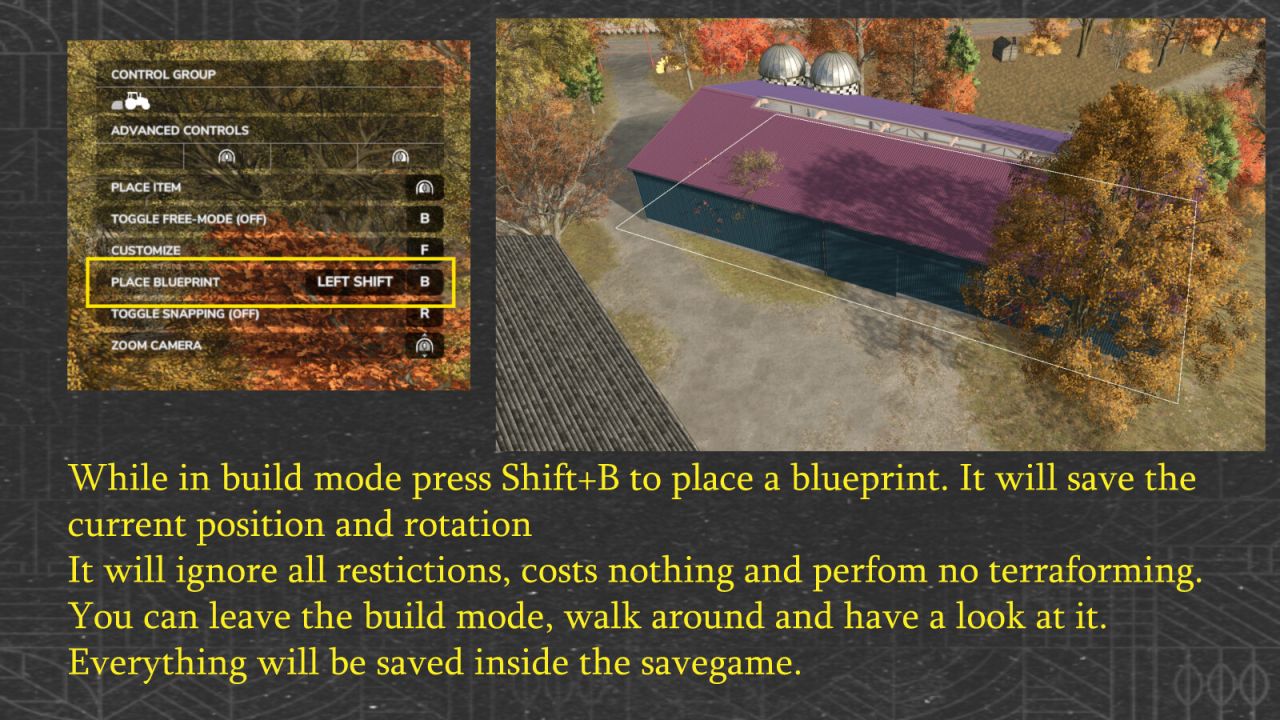
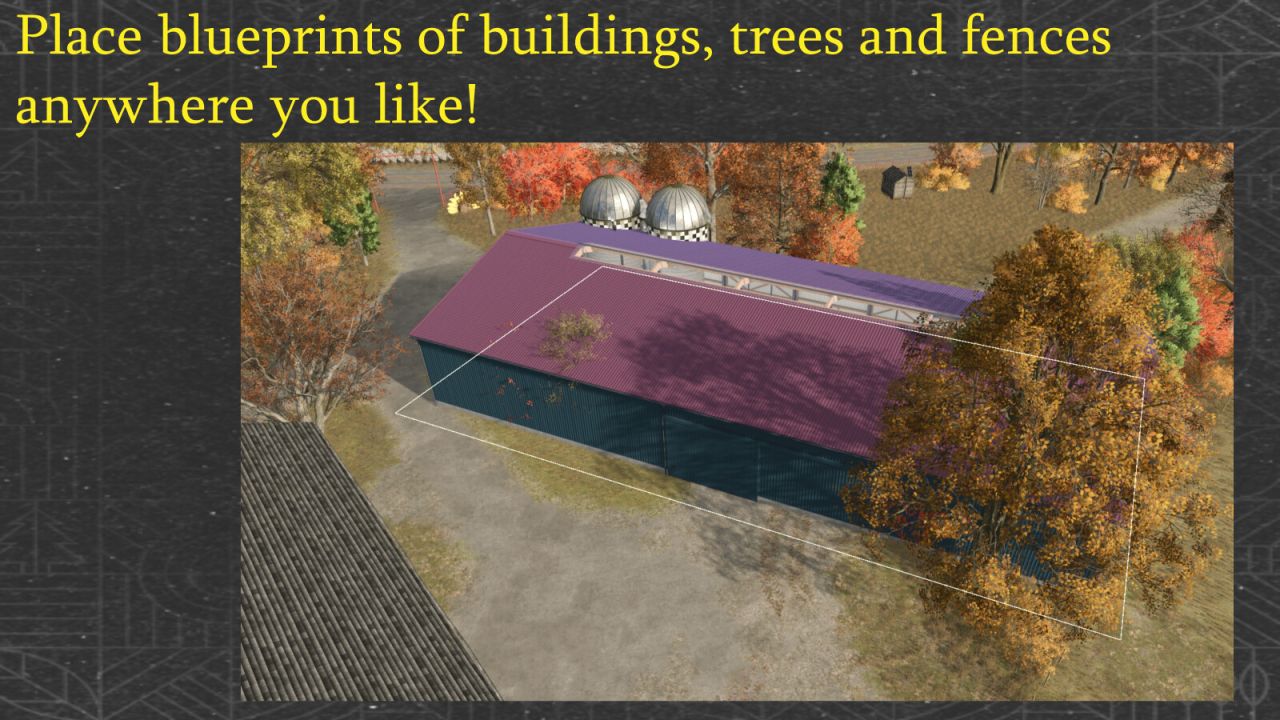
While positioning a placeable in construction mode, press Left Shift + B to save it as a blueprint.
Blueprints are stored in buildingBlueprints.xml in the savegame and restored when the savegame loads.
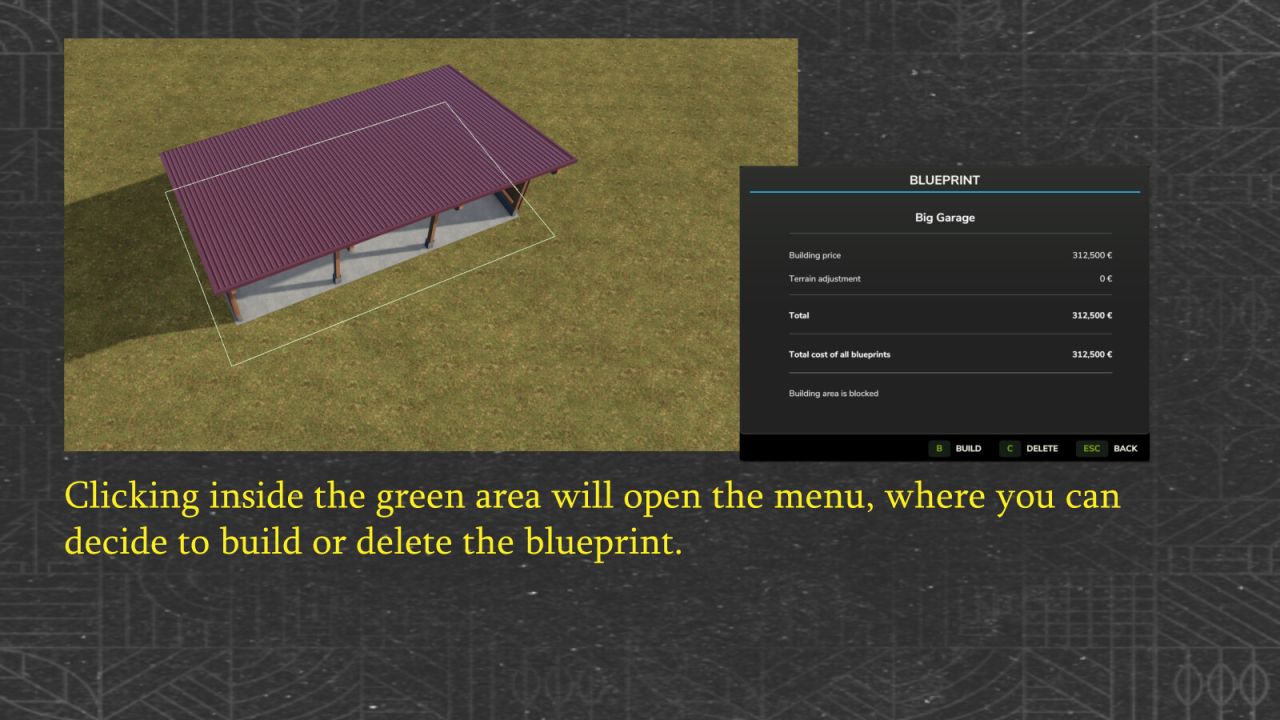
Saved blueprints show their terrain adjustment / texturing area as a green outline in both normal selection mode and demolition mode. For blueprints with such an area, mouse interaction is accepted only within the green area. In normal selection mode, clicking the area opens the menu with Build, Delete and Back. B builds the selected blueprint; C deletes it. In demolition mode, clicking the same area removes the blueprint.
Before purchase, terrain deformation, current terraforming costs, available funds and the collision area are checked again. Terrain changes are recalculated using the current FS25 terrain costs. When the purchase is accepted, the blueprint is removed as soon as FS25 has actually debited the farm account; rejected or blocked purchases leave it in place.
After building an animal husbandry with a customizable pasture fence, the mod follows the native FS25 workflow: customize the fence or keep the default one, validate/finalize a customized fence at its final snap point, automatically leave the fence editor and then proceed to meadow creation where supported.
The detail window also shows the total cost of all blueprints: building prices plus saved terrain adjustment costs, recalculated each time it opens. The terrain check for the selected blueprint updates both totals. Building or deleting changes the sum the next time the window opens; the save format remains unchanged.
When the detail window opens, it checks the building area, terrain, purchase data and available funds without buying anything or changing the terrain. A status line shows the result. Construction still requires Build or B and repeats the checks.


