Move Placeables Advanced V2.3.0.0
Move Placeables Advanced V2.3.0.0
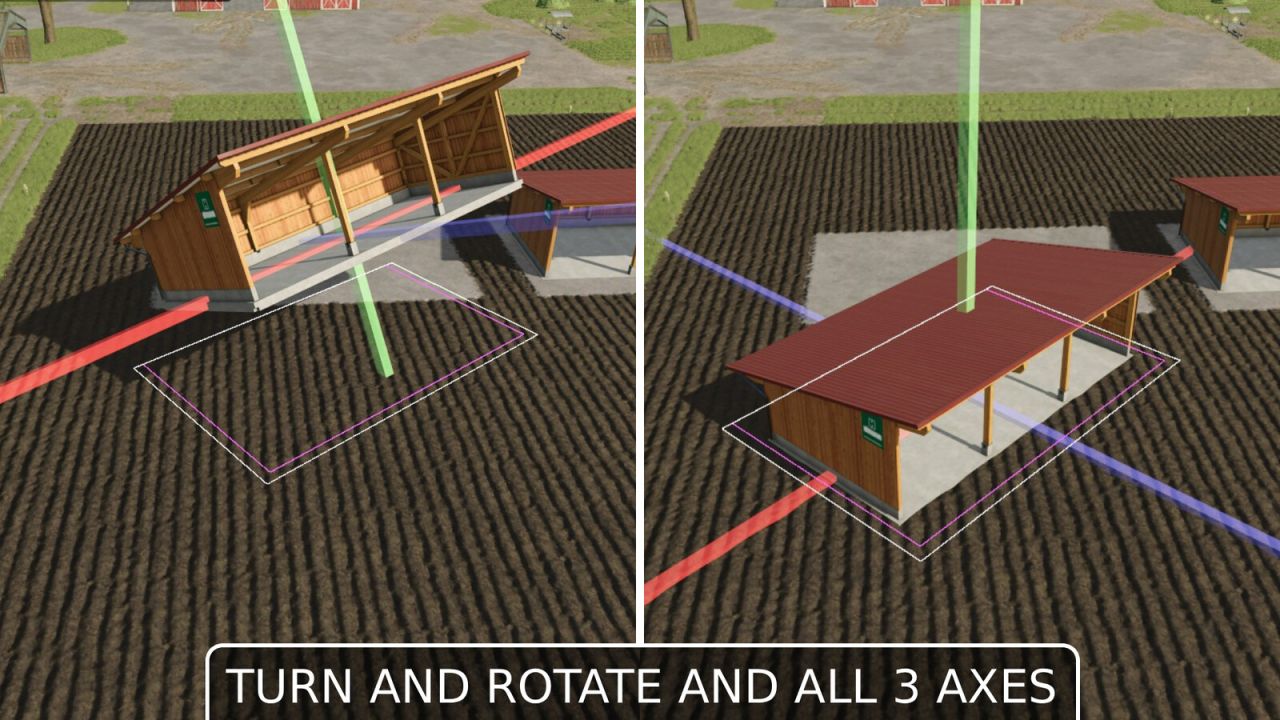
This mod allows you to reposition placed objects. It supports movement along all three axes (X, Y, Z) as well as rotation around all three axes.
Usage:
Open the construction screen (default: Shift+P)
Click on the placed object
Select the Move button
Left-click on one of the 3 displayed axes (green, blue, red) and move the mouse => Move the object along the selected axis
Right-click on one of the 3 axes and move the mouse => Change the object’s rotation around that axis
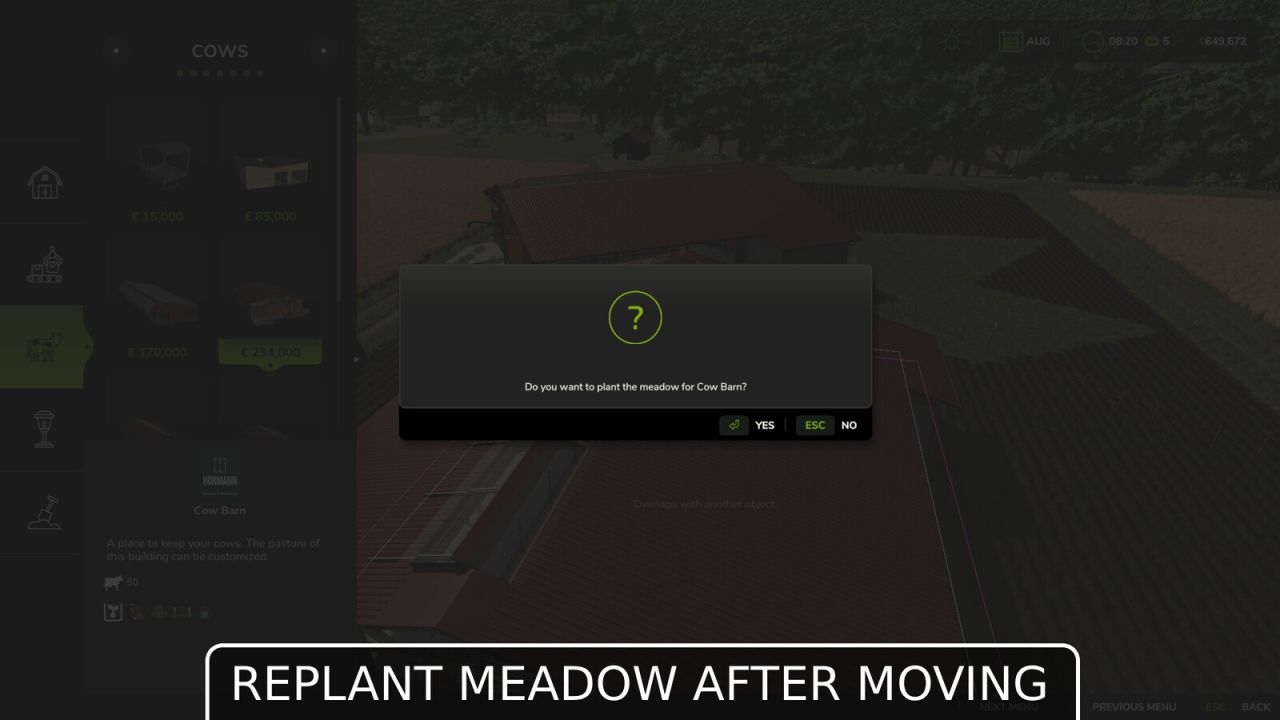
Confirm the change by clicking on the placeable object again or pressing the Escape key; a final confirmation prompt will appear
During editing, you can also reject or undo the change by pressing Escape
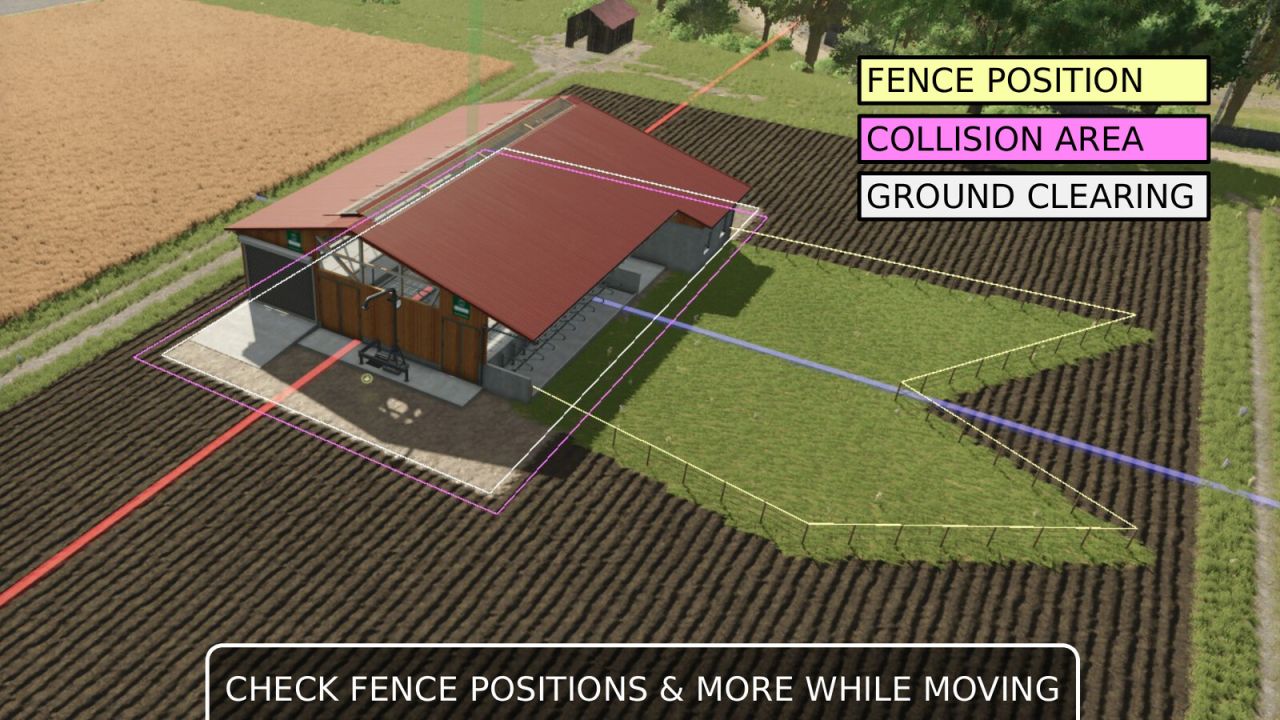
When guides are enabled (default), the following markings are displayed:
White line frame: Leveling and texturing area
Pink line frame: Collision area (not available in free mode)
Yellow line frame: Fence path (only when moving)
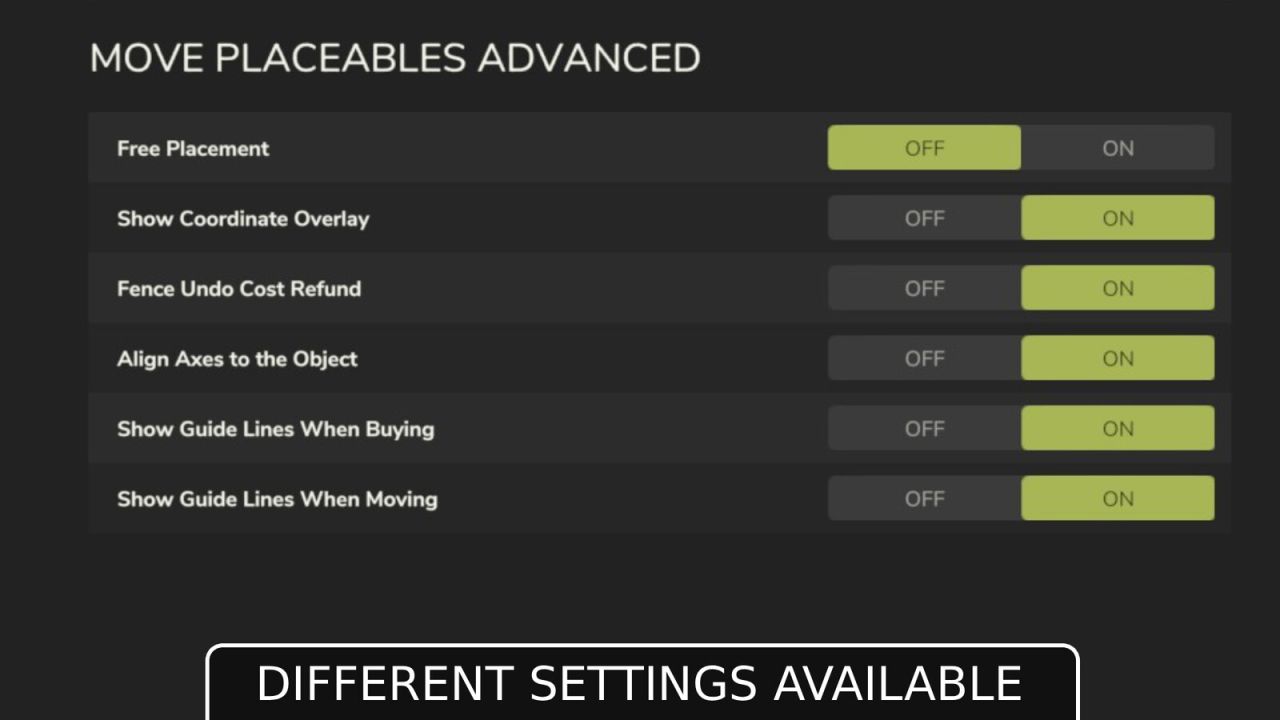
Settings for the mod are located under General Settings in the menu:
Free Movement: When enabled, moving objects incurs no cost.
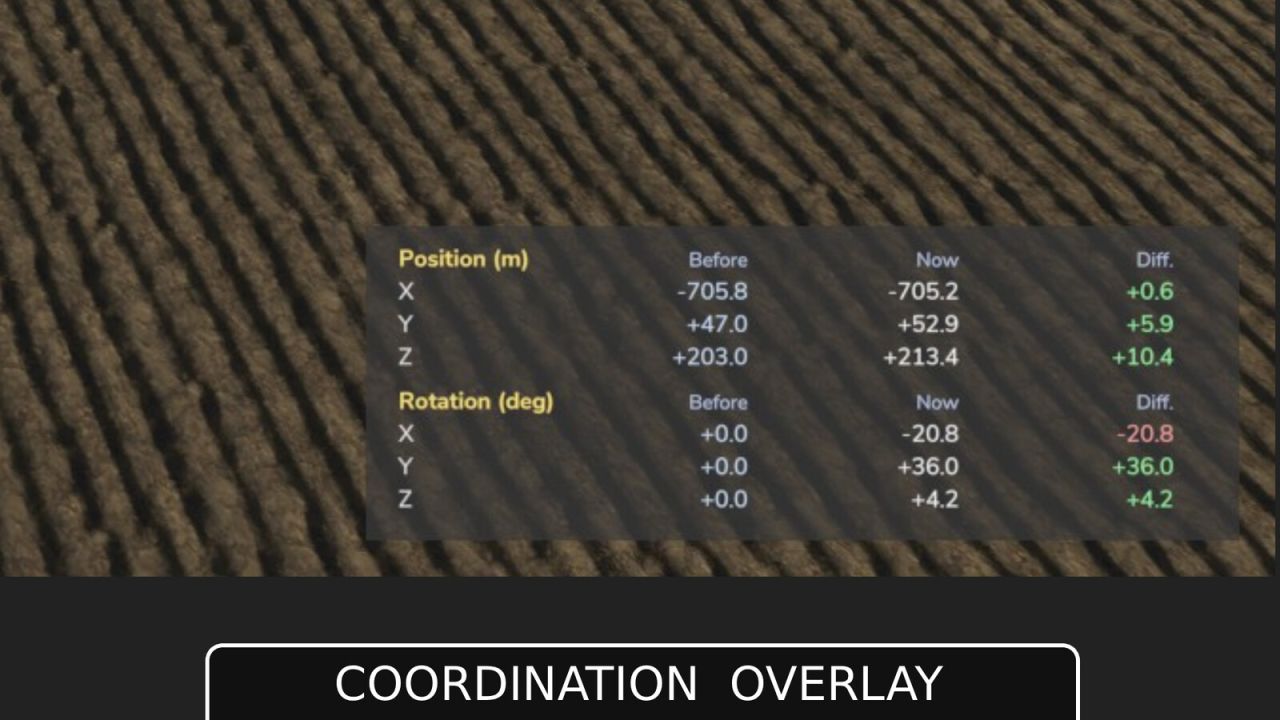
Show Coordinate Overlay: Displays the start and current coordinates (position and rotation) as an overlay when moving.
Fence Undo Cost Refund: When enabled, undoing the last husbandry fence segment refunds its cost.
Align Axes to the Object: When enabled, the move gizmo aligns to the object’s own axes by default instead of world axes.
Show Guide Lines When Buying: Shows colored guide lines while buying/placing an object (collision area, ground clearing area).
Show Guide Lines When Moving: Shows colored guide lines while moving an object (collision area, ground clearing area).
ATTENTION! This mod is a complete remake of the mod “Rearrange Placeables” by Helfer B (myself).
The new mod is not compatible with the old mod but replaces it.
All functions have been revised and optimized to provide a better user experience.
If you are using the mod “FS25_RearrangePlaceables.zip”, you must delete it first in order to use the new perfect version “Move Placeables Advanced”.
V2.3.0.0
Removed the “Fence Gate Fix†since Giants has since fixed this in the base game
Corrected the colors of the gizmo axes (Thanks and apologies, nilBrain)
NEW: Display of collision detection areas (non-free mode) when purchasing new placeables and moving them, indicated by white lines
NEW: Display of ground adjustment areas (leveling, texturing) when purchasing new placeables and moving them, indicated by pink lines
NEW: Options to show or hide guide lines when buying/moving placeables