Save Unit Profiles V1.2.0.2
Save Unit Profiles V1.2.0.2
Save Unit Profiles lets each savegame use its own currency and unit settings.
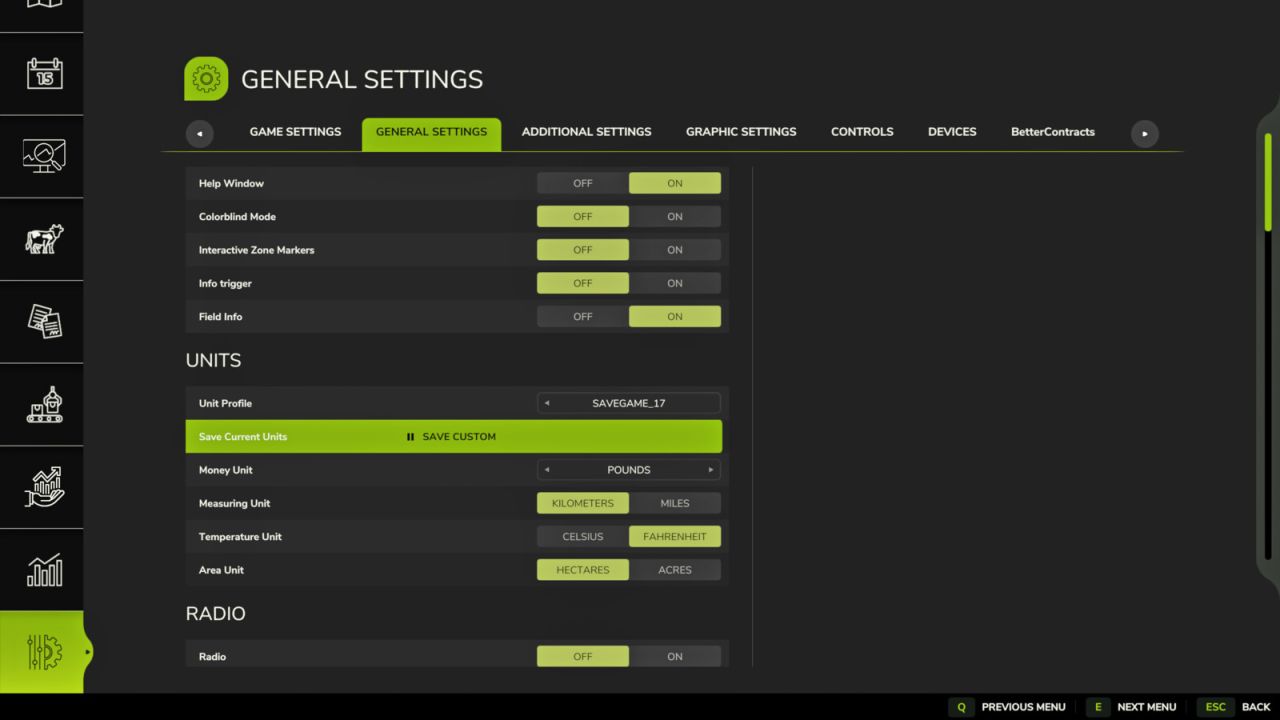
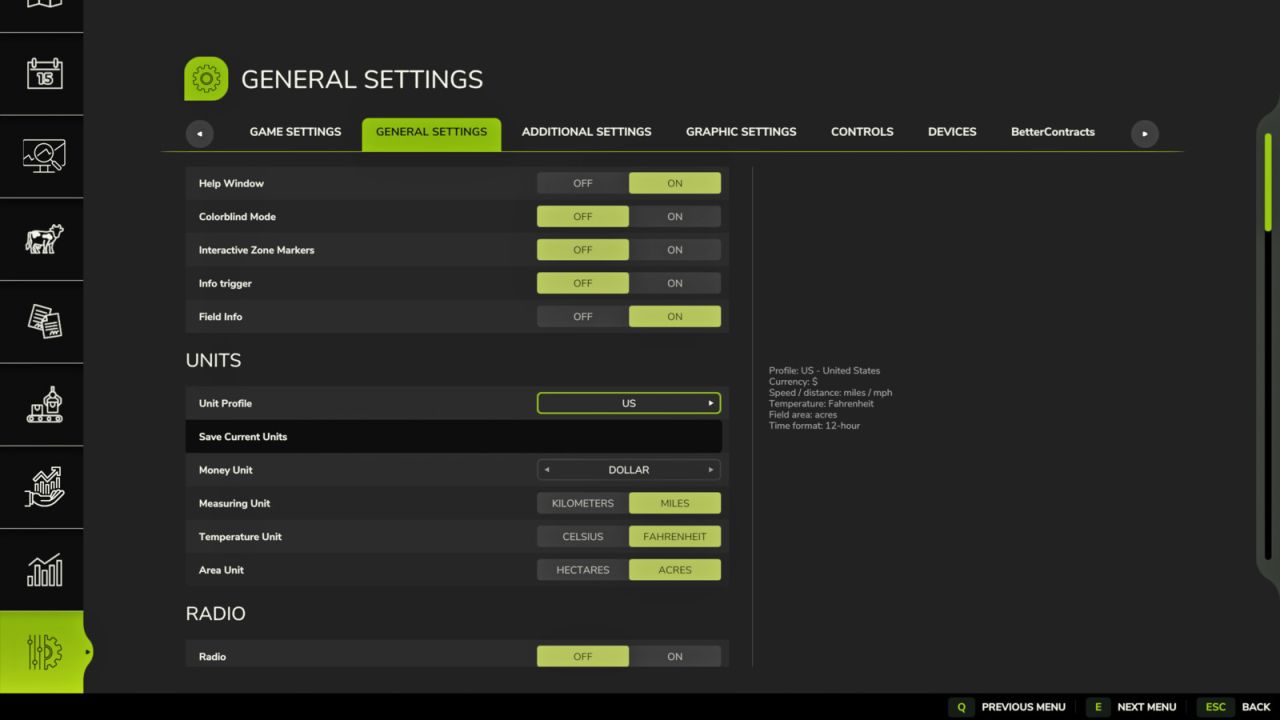
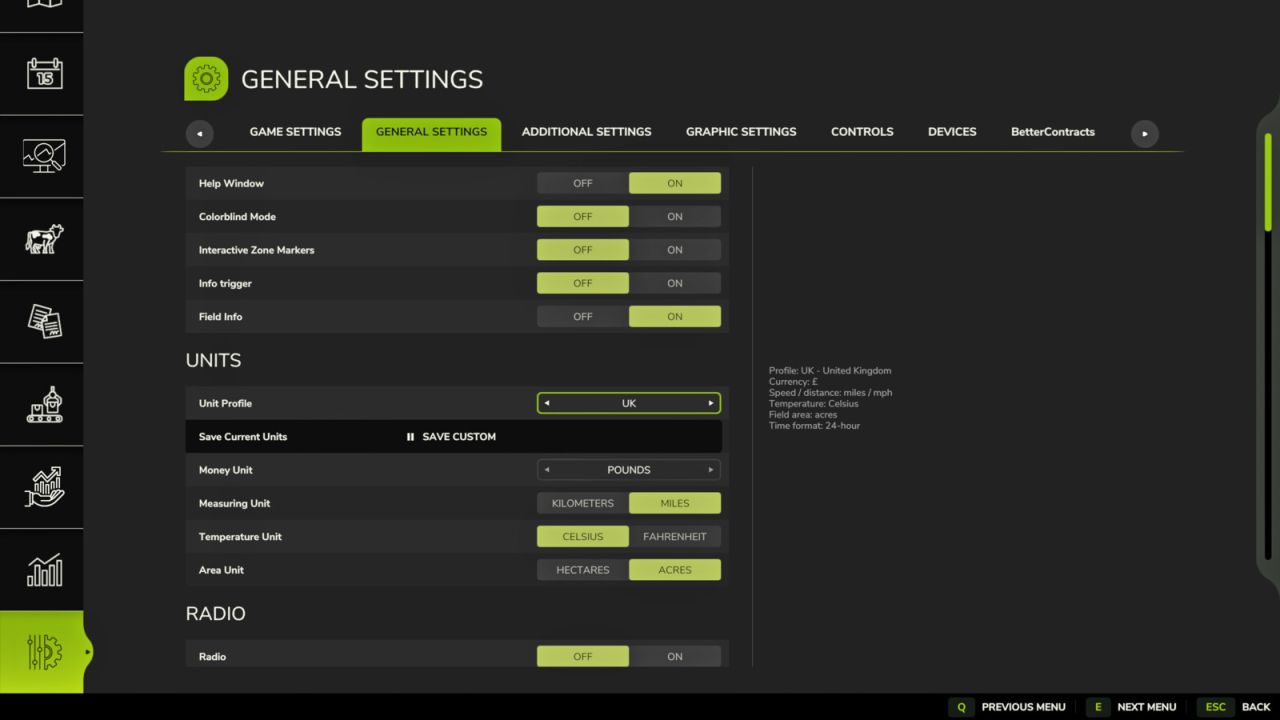
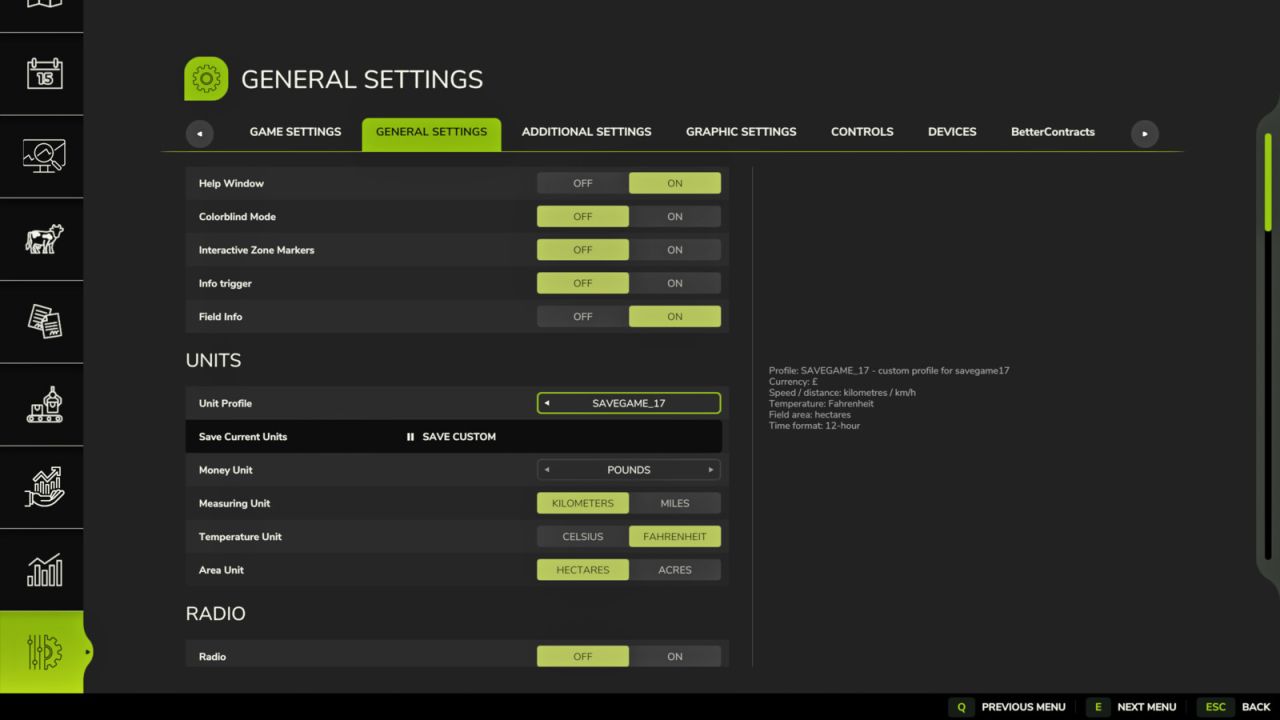
The mod adds a native Unit Profile selector to the Farming Simulator 25 Settings menu under:
General Settings > Units
Changing the Unit Profile selector assigns the selected profile to the currently loaded savegame and applies the active in-game unit settings when the Settings UI is closed. No separate dialog is required, and normal players do not need to edit XML manually.
This is useful when switching between maps from different regions. For example, a North American savegame can use dollars, miles, Fahrenheit and acres, while a UK savegame can use pounds, miles, Celsius and acres, and a European savegame can use euros, kilometres, Celsius and hectares.
Features:
– Per-savegame currency and unit profiles.
– Native Unit Profile selector in General Settings > Units.
– Profile selection applies immediately to the current savegame.
– Built-in regional profiles for multiple map locations and play styles.
– Integrated currency support directly within Save Unit Profiles.
– Save Current Units option for creating a custom profile from the current in-game settings.
– Existing XML mappings remain supported for advanced/manual configuration.
Configuration:
For normal use, open General Settings > Units and select the desired Unit Profile.
The mod also stores its configuration here:
modSettings/FS25_SaveUnitProfiles/saveUnitProfiles.xml
This file can still be edited manually by advanced users, but manual XML editing is no longer required for normal profile setup.
Hotkeys:
No hotkeys are required.
Console commands:
suStatus – Show current status and loaded settings.
suReload – Reload the XML configuration file.
suApply – Apply the configured profile for the current savegame.
suApply UK / suApply US / suApply EU – Manually apply a specific profile.
suProfile UK / suProfile US / suProfile EU / suProfile CA – Assign and apply a specific profile to the current savegame.
suSaveCurrent – Save the current unit settings for the loaded savegame.
suDebug on / suDebug off – Enable or disable debug logging.
Changelog:
Version 1.2.0.2
– Added optional compatibility handling for external time-format settings.
– Prevented unsupported use24HourTime GameSetting calls when the optional provider is not available.
– Added localisation keys for the Unit Profile settings row and related UI text.
Version 1.2.0.1
– Improved live settings application when changing Unit Profile from General Settings > Units.
– Profile changes now apply correctly after leaving the Settings UI.
– Reduced duplicate on-screen success notifications during normal profile selection.
– Warning/error notifications remain available if a profile cannot be applied correctly.
Version 1.2.0.0
– Added native Unit Profile selector to General Settings > Units.
– Added automatic apply-on-selection behaviour for unit profiles.
– Added integrated regional currency/profile support directly in Save Unit Profiles.
– Added additional predefined regional profiles for more map locations and play styles.
– Added Save Current Units option for creating custom profiles from the current settings.
– Removed the need to manually edit XML for normal savegame profile setup.
– Retained support for existing XML mappings, custom profiles and console commands.
Version 1.1.0.0
– Added SAVE UNITS button to the in-game Settings interface.
– Added support for saving the current unit settings directly to the loaded savegame profile.
– Added suSaveCurrent console command as a manual fallback.
– Existing manual XML mappings and custom profiles remain supported.
Version 1.0.0.0
– Initial release.
– Added per-savegame unit and currency profiles.
– Added default US, UK and EU profiles.
– Added console commands for status, reload, manual apply and debug logging.