Set Spawn Location V1.0.0.0
Set Spawn Location V1.0.0.0
A small Farming Simulator 25 mod that lets farm managers pick which farmhouse their farm spawns the player at when they load into the game.
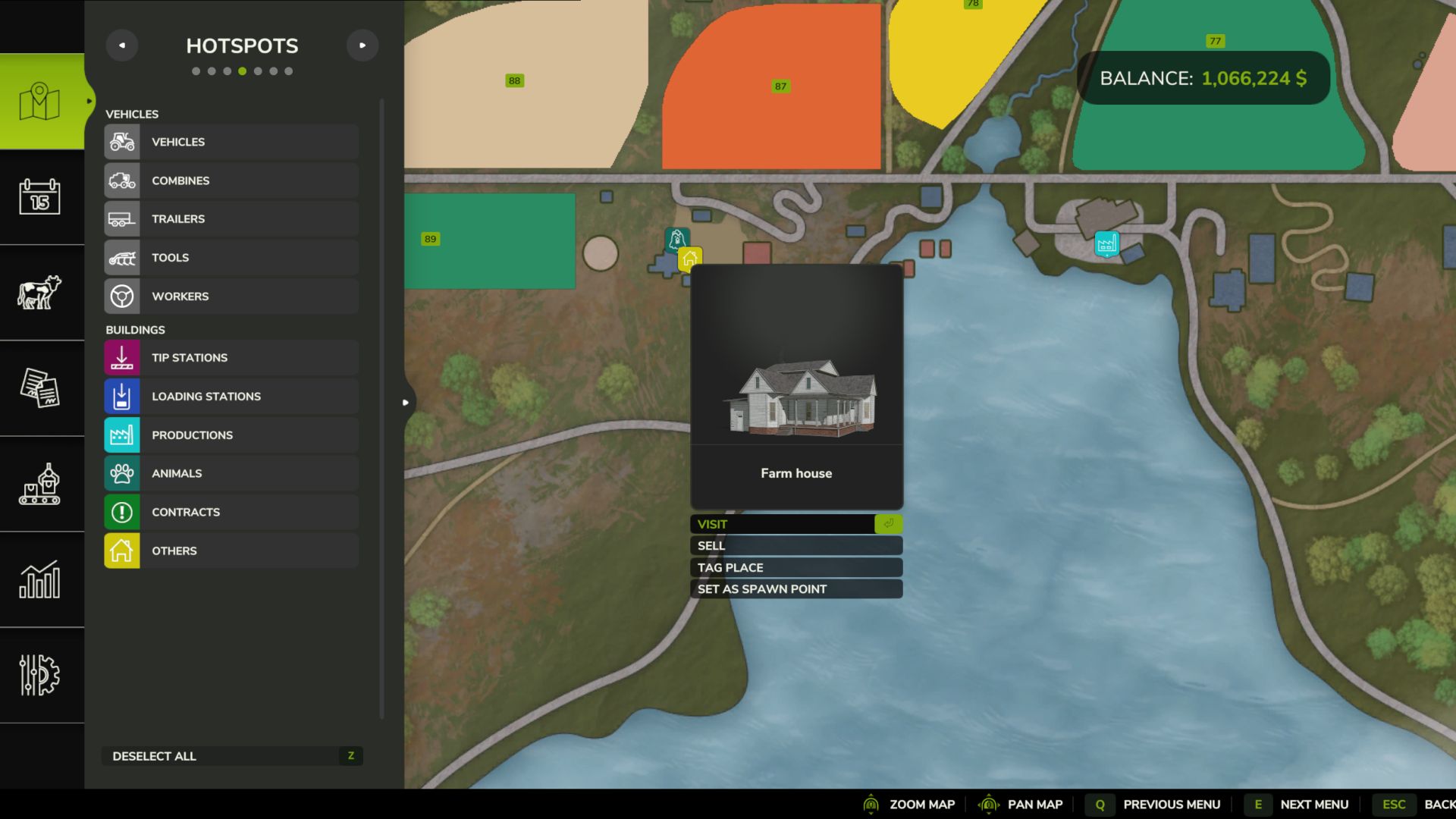
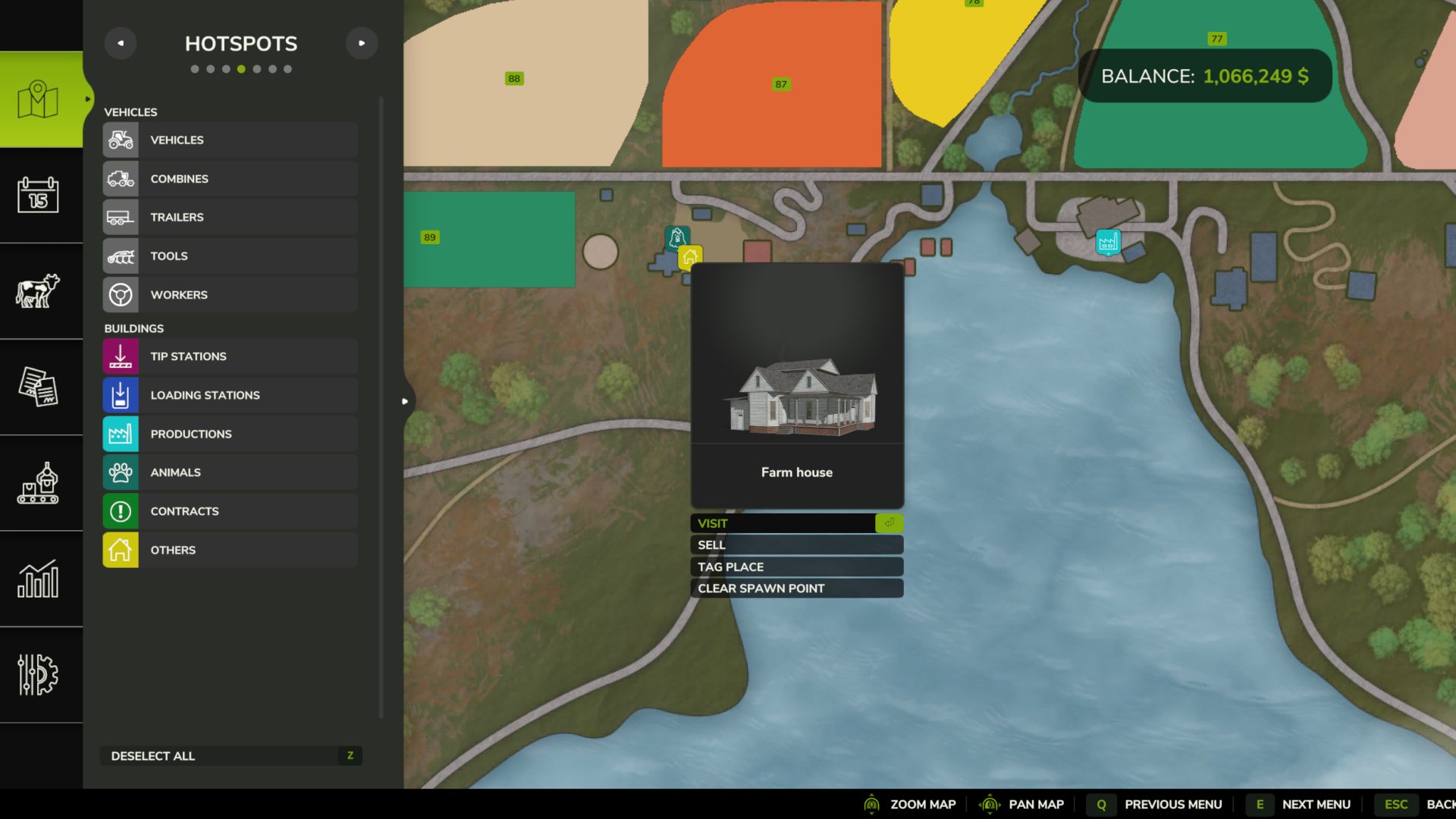
By default FS25 uses the first farmhouse it finds owned by your farm. With this mod, anyone with farm-manager rights can open the in-game map, click on a farmhouse hotspot owned by their farm, and choose Set as spawn point . From that moment on, every player on that farm spawns at the chosen house. Click the same house again to clear and revert to the default behavior.
Usage
Open the in-game map (default: ESC → Map → Hotspots)
Click a farmhouse hotspot belonging to your farm
In the context menu, choose Set as spawn point
To revert, click the same farmhouse again and choose Clear spawn point
The button only appears on farmhouses that belong to your active farm, and only if you are a farm manager (or admin / single-player owner).
Multiplayer & dedicated server compatible