Soil Draft Physics BETA 3 v1.0.0.0
Soil Draft Physics BETA 3 v1.0.0.0
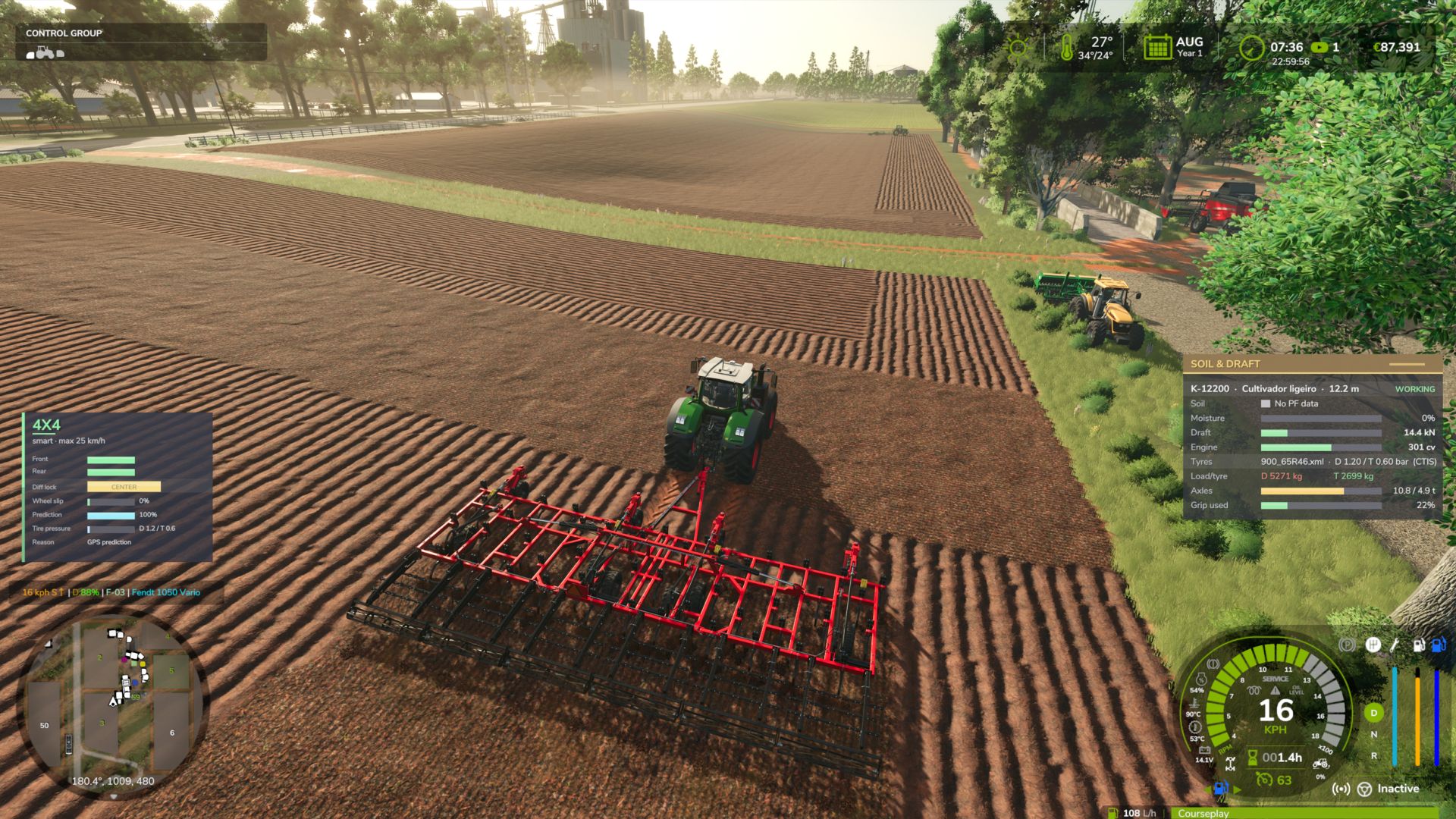
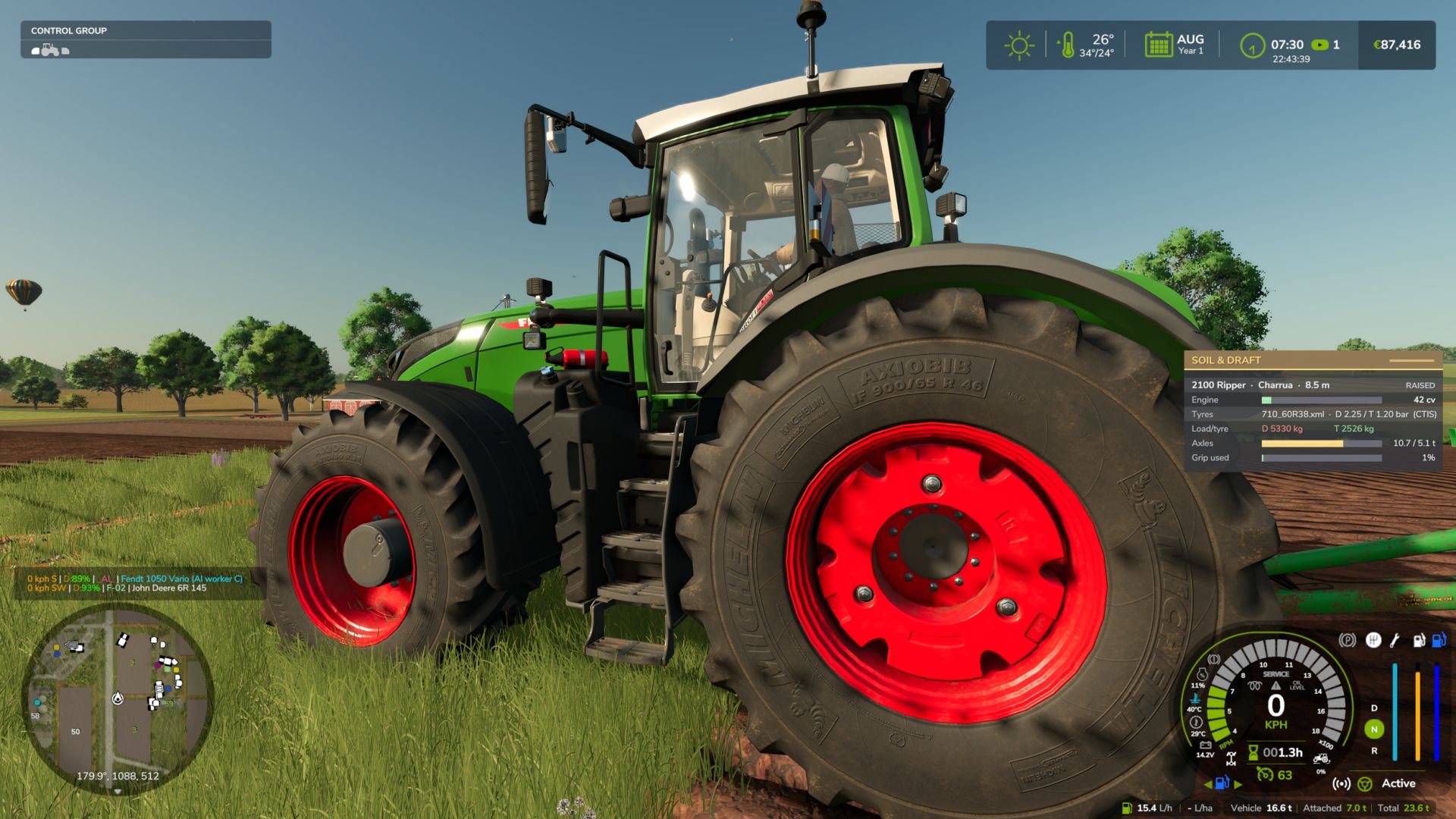
Your tractor finally feels the soil. Implements pull harder in heavy wet clay than in dry sand, and tyres grip according to their size, load and pressure.
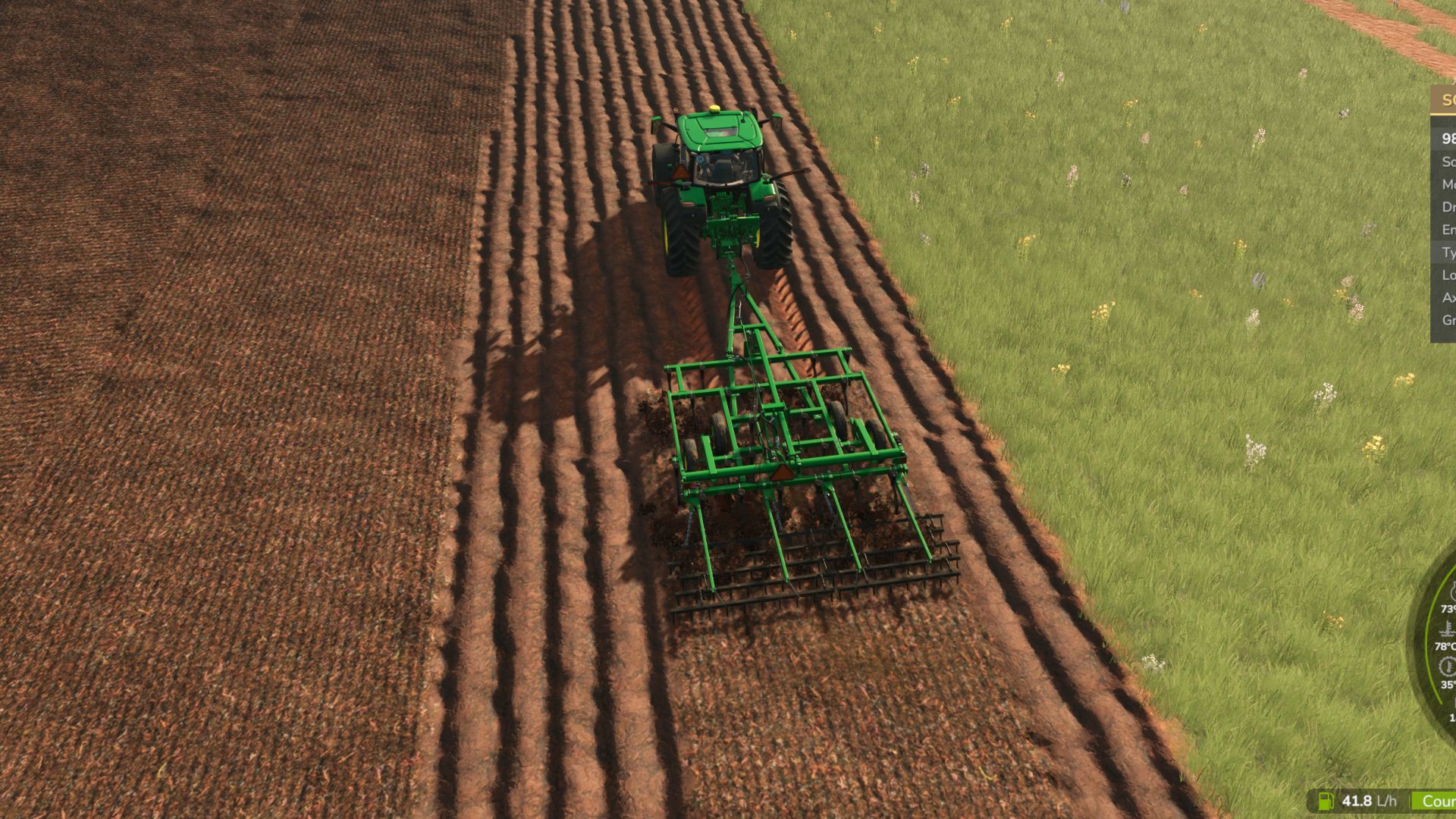
– Realistic implement draft (ploughs, rippers, cultivators, discs, seeders) based on agricultural standards
– Uses Precision Farming soil types and soil moisture (works without PF too)
– Tyre traction and rolling resistance from real tyre sizes, wheel load and pressure
– Automatic tyre pressure by axle load, with CTIS support in 4×4 Traction System
– Clean, movable HUD (Ctrl+Shift+H show/hide, Ctrl+Shift+M move)
Beta version – feedback and log.txt are welcome!
Implement draft and tyre traction based on real soil, using agricultural engineering standards (ASABE D497 draft and Brixius traction).
– Draft force per implement type (plough, ripper, subsoiler, cultivators, disc harrow, seeders…), width, depth, speed
– Precision Farming soil types (sand → silty clay); works without PF using a medium soil
– Soil moisture per soil type (sand dries fast, clay stays heavy for days)
– Tyre/soil traction from real tyre sizes (e.g. 710/60R38), wheel load and pressure; rolling resistance in soft soil
– Tyre pressure from real axle load; CTIS support with 4×4 Traction System (VarioGrip style), fixed pressure on tractors without CTIS, tracks supported
– Replaces the game’s own draft force (no double counting)
– HUD: Ctrl+Shift+H show/hide, Ctrl+Shift+M mouse to drag it anywhere
– Settings: modSettings/FS25_SoilDraftPhysics.xml (intensity, traction scale)
BETA: feedback and log.txt welcome. Not recommended with Mud System Physics or Tractor Terrain Dynamics (tyre grip is handed over to them automatically).
BETA 3
New
– Implement working depth, controlled from the tractor like a real hitch:
– Alt+Page Down deeper / Alt+Page Up shallower (40% to 160% of the implement’s normal depth) / Alt+End MANUAL / AUTO.
– MANUAL = position control: fixed depth whatever the soil.
– AUTO = draft + slip control like an EHR hitch: the chosen depth is the maximum; the hitch lifts in heavy or wet soil and when the wheels slip more than 15% (never above half the chosen depth). Slip is filtered, so the hitch does not pump up and down.
– The implement really moves: mounted implements change the lowered hitch height, implements with depth/support wheels sink their frame. 100% = factory position. Switch off: physicalDepth = false.
– Only on depth-dependent implements (ploughs, cultivators, harrows, subsoilers). Saved with the savegame, synced in multiplayer, shown on the HUD (cm + mode).
– Wheel sinkage: tyres and tracks sink into the field depending on soil type, moisture, tillage state, load, tyre size and pressure (WES/Saarilahti rut model through the Brixius mobility number). Wider tyres, lower pressure and tracks sink less. Firm dry soil < 1.5 cm, wet ploughed soil around 6 cm, max 20 cm. Fields only. Settings: wheelSink, sinkScale (default 1.5).
– HUD: working depth row, sinkage and tyre footprint; panel translated. HUD keys (Ctrl+Shift+H show/hide, Ctrl+Shift+M move) are in the game’s Controls menu.
– Works together with 4×4 Traction System (real draft, axle load and grip feed its traction prediction and per-axle tyre pressures) and Hydraulic Suspension System (WORK mode only when the implement is really pulling).
– Compatible with MoreRealistic: our draft force and tyre model step aside (MoreRealistic does those); working depth (MANUAL/AUTO) scales MoreRealistic’s draft, the HUD works, and 4×4 / Hydraulic Suspension get MoreRealistic’s real draft.
– Compatible with Variable Working Depth: on the implements it controls, the depth is VWD’s (Ctrl+Num +/-); our keys leave them alone and the HUD shows “VWD”.
– Translations for all 25 game languages.
Fixes
– The tractor’s rear end no longer slides sideways while working (worst uphill in wet soil), and implements are no longer pushed back or sideways behind the tractor. The draft now goes through the game’s own implement force (same point, direction and low-speed damping as the base game) – only its value comes from the soil model.
– Wheel sinkage is steadier: axle load is filtered and the tyres are no longer rebuilt over and over while working.
– Total draft for other mods counts only implements that are really working (lowered on the field).
– No more “Path not registered” errors in the log when loading/saving the depth setting.
– First start: the settings file is now written complete (HUD position included).
Default keys can be changed in the game’s Controls menu.